Agency Website
Launch your agency website design with a command-palette-driven landing page that showcases projects, estimates costs, and converts visitors in hours.
 Lovable
Designed for
- Creative studios presenting portfolio work to prospects
- Freelancers qualifying inbound leads with a cost calculator
- Building a project showcase with filtering and detail pages
- Launching a branded single-page site in one afternoon
Key highlights
- Command palette navigation
- Project cost calculator
- Category & year filters
- Five color themes
- Grid and list toggle
- Sticky-reveal footer
Technology stack
UI Components
- shadcn/ui
Libraries
- Framer Motion
- Recharts
- Embla Carousel
- TanStack
Deployment
- Lovable
- GitHub
About this template
This template gives you a polished agency website design that looks custom-built, and you don't need a developer or design background to make it work. A global command menu (⌘K) lets visitors calculate project costs, send inquiries, and navigate your site without scrolling. The result is an agency website design that feels like a product, not a brochure.
The technical parts are already handled. Page transitions, layout animations, a five-theme color switcher, and a golden-ratio type scale are all wired up. You can focus on filling the site with your own projects and brand voice instead of debugging CSS or wrestling with motion libraries.
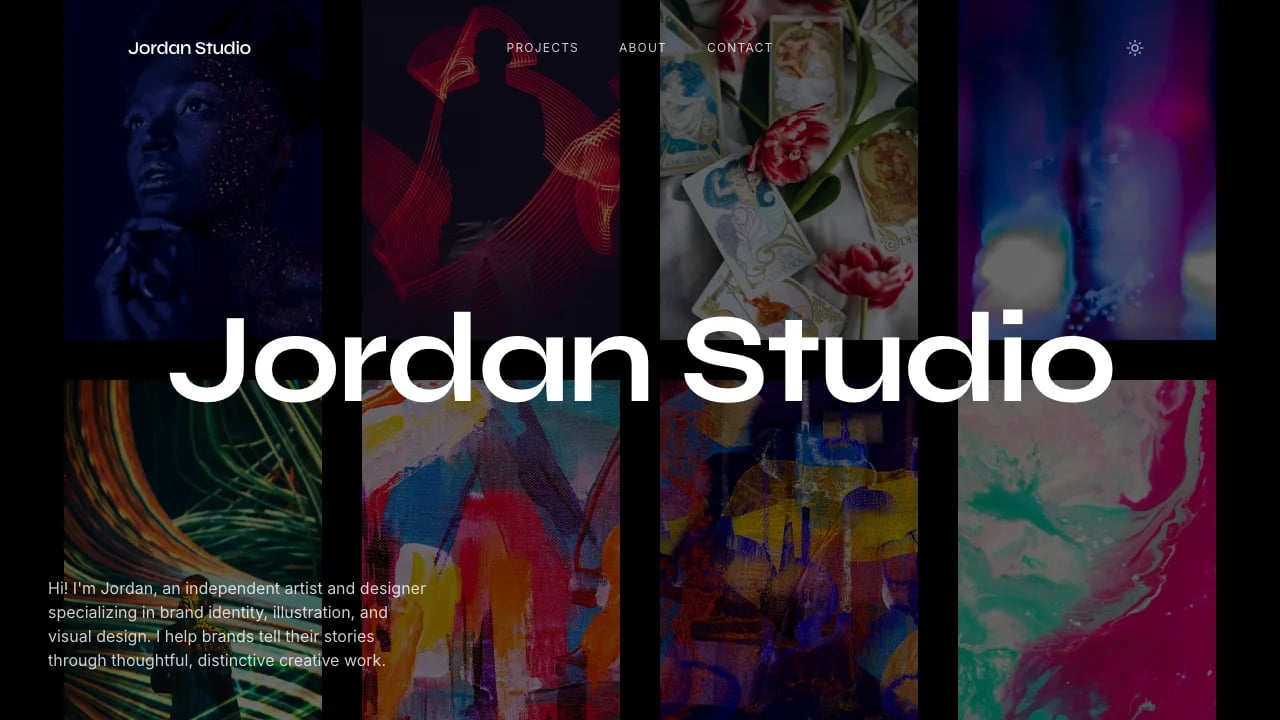
What's included: a hero section with animated headline and city greetings, a projects section with category and year filters plus a grid-to-list toggle, individual project detail pages with image galleries, a services section, an about block, a contact form inside the command menu, a multi-step project cost calculator, a sticky-reveal footer, and a floating theme switcher with five light palettes.
Compared to hiring a studio to design and code a one-page site, or spending weeks customizing a generic theme, this template gives you a working agency website design foundation you can personalize in a single sitting.
Showcasing a Creative Portfolio
Four case-study slots come preloaded with metadata, images, and slug-based routing. Visitors filter by category or year, switch between grid and list views, and click through to full project detail pages. A strong portfolio directly influences whether prospects request a proposal, so every interaction is animated and intentional.
Qualifying Leads with a Built-in Calculator
The multi-step cost estimator lives inside the command menu. Prospects answer a few questions and get a ballpark figure before they ever send a message. This pre-qualifies inbound leads so you spend less time on calls that go nowhere and more time closing projects that fit your rates.
Converting Visitors through a Command Palette
The ⌘K menu gives visitors instant access to your contact form, calculator, services page, and project gallery. It removes friction from every conversion path. Agencies that reduce clicks between landing and inquiry tend to see higher contact rates, especially from busy decision-makers.
Standing Out with Themeable Branding
Five built-in color palettes (neutral, contrast, pink, green, yellow) let you match your brand without touching code. The theme switcher persists the visitor's choice in local storage, so return visitors see the palette they picked. Distinct visual identity sets your agency apart from competitors using default templates.
Getting Started
1. Remix This Template
Open the template and remix it into your own Lovable project. You get a fully working single-page app with routing, animations, and the command menu ready to go. If this template isn't the right fit, you can remix a different one. No wasted work.
2. Customize Your Brand
Swap the Inter font for your brand typeface, pick one of the five palettes as your default, or edit the CSS variables to define your own colors. Update the hero headline, tagline, and city greetings to reflect your agency's personality and location. The golden-ratio type scale keeps everything proportional as you change sizes.
3. Add Your Content
Replace the four sample projects with your real case studies. Each entry takes a title, category, year, slug, and a set of images. Write your services list, update the about section, and add any additional pages you need using the existing page-transition wrapper.
4. Connect Your Tools
The contact form and calculator currently show a toast notification on submit. Wire them to your email service, CRM, or a Supabase backend to capture leads. Add analytics tracking so you can measure which command-menu actions visitors use most. If you accept payments or deposits, integrate Stripe through Lovable's verified connector.
5. Go Live
Deploy directly from Lovable, connect a custom domain, and share the link. The entire process, from remix to live URL, can happen in a single afternoon. Monitor your command-menu usage and filter interactions to see which projects and services attract the most attention, then iterate.
Conclusion
This agency website design template works for studios and freelancers who want a memorable first impression without weeks of development. You get animated page transitions without writing motion code, a command palette without building one from scratch, and a project showcase without configuring a CMS.
Remix the template today and have a working agency site live before your next client call. Every hour your portfolio sits in a Google Doc or a half-finished theme is an hour a prospect lands on a competitor's site instead of yours.
Features & capabilities
Global Command Menu
A ⌘K palette gives visitors instant access to navigation, contact form, and cost calculator without scrolling or hunting through menus.
Multi-step Cost Estimator
A guided calculator inside the command menu pre-qualifies leads by giving prospects a ballpark project price before they reach out.
Project Detail Pages
Slug-based routing serves individual case-study pages with hero images, metadata, and galleries so each project gets its own shareable URL.
Grid and List View Toggle
Visitors switch between grid and list layouts on the project showcase with animated Framer Motion transitions for a polished browsing experience.
Five Light Theme Switcher
A floating control cycles through neutral, contrast, pink, green, and yellow palettes, persisting the choice in local storage for return visits.
Golden-Ratio Type Scale
Headlines, body text, and captions follow a 1.618 ratio across three responsive breakpoints, keeping hierarchy consistent on any screen size.
Animated Page Transitions
Framer Motion wraps every route change with smooth enter and exit animations, giving the site a single-page-app feel without manual animation code.
Inline Contact Form
A message form lives inside the command palette so visitors can send inquiries without navigating away from the page they are viewing.
Category and Year Filters
Dropdown filters on the projects section let visitors narrow case studies by discipline and year, surfacing relevant work faster.