TL;DR
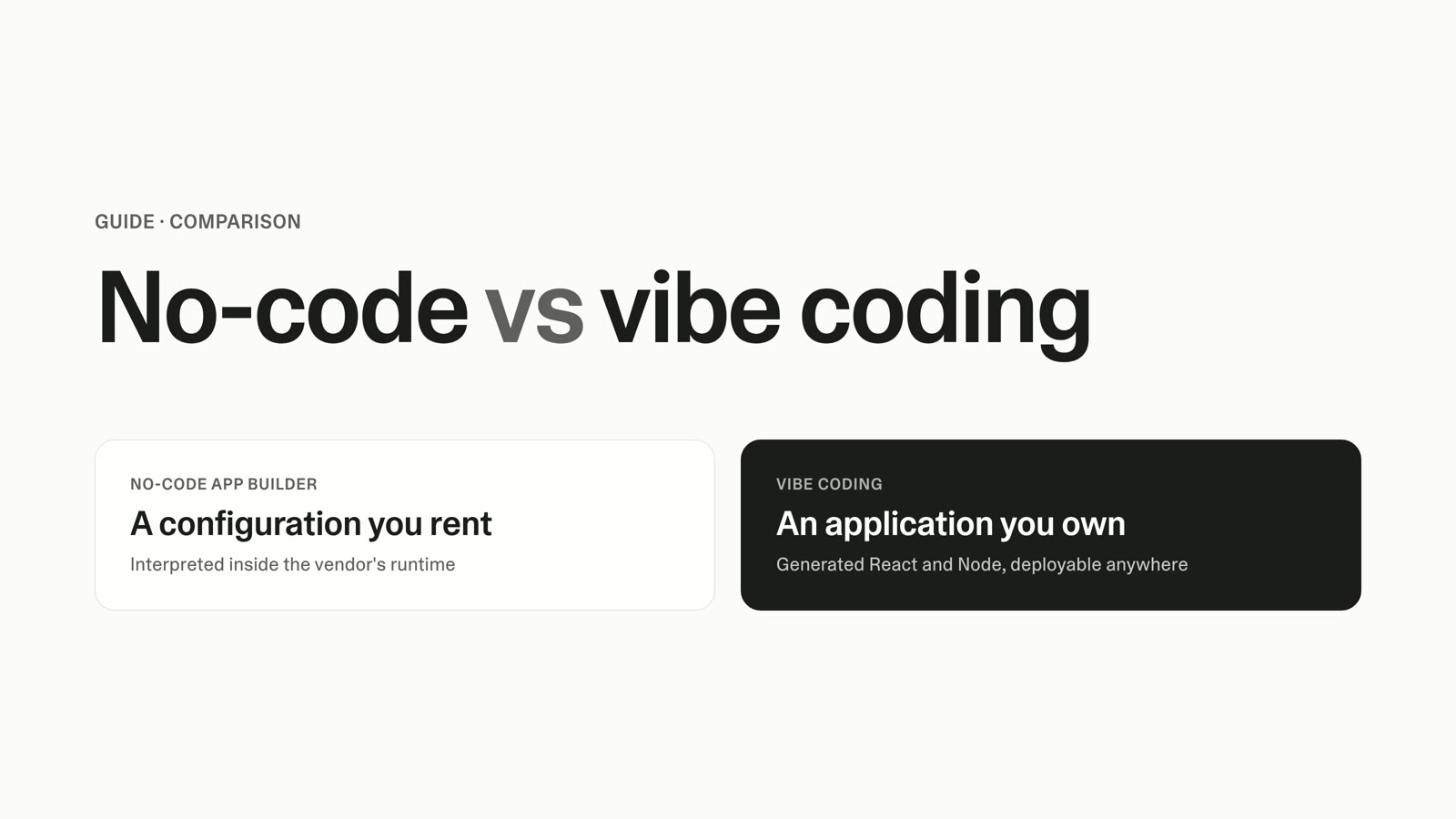
- A feature-based roadmap is a list of what you'll build, on a timeline. It optimizes for commitment and coordination, and it wins for mature products, regulated work, hardware dependencies, and contractual launch dates.
- An outcome-based roadmap leads with the result you're trying to move (activation, churn, retention) and treats features as bets in service of that result. It wins for newer or evolving products and teams free to change the "how."
- The switch is a top-down rebuild, not a relabel. Start from strategy and goals, attach a metric to each goal, tie every initiative to a goal, and replace milestone dates with metric trends.
- The tool you run it in quietly decides which approach survives. A spreadsheet is free but ties goals to results with formulas that break on copy-paste. Dedicated roadmap platforms give structure but are priced per maker and built around feature backlogs, so outcome-first planning means fighting the data model.
- There's a third path the vendor blogs skip: building a lightweight roadmap tool structured around your own goals and metrics. That used to be a five-figure, multi-month project. A focused first version is now an afternoon.
- Choose by fit. Feature-based in a PM tool, outcome-based in a spreadsheet for now, or outcome-based in a tool built around your goals.
Last quarter you shipped everything on the plan: every feature landed, most of the dates held, and the demo looked great. Then you opened the metrics leadership asks about in the QBR, and activation was flat, churn hadn't moved, and retention looked exactly like it did three months ago. You did the work and the business didn't feel it. That gap is not a delivery problem, and working harder on delivery won't close it.
This is the moment most teams reach for the "outcomes over outputs" argument, and mostly they're right to. But two practical questions stall the switch. First, which approach fits your product, because feature-based roadmaps are not always wrong. Second, what do you run the plan in, because a spreadsheet breaks and a dedicated roadmap platform is priced per person and built around feature lists. This guide covers both decisions honestly, then shows the third tooling option almost nobody names.
What Each Roadmap Type Optimizes For
A feature-based roadmap is a list of features placed on a timeline. It answers one question: "what are we building, and when will it be done?" That's a real and useful question. When stakeholders need committed, specific deliverables to coordinate around, a feature roadmap is the honest artifact.
An outcome-based roadmap inverts what sits at the top. Instead of leading with features, it leads with the result the product should create, then hangs coarse features off each goal as the bets you'll make to move it. The distinction John Cutler draws is the cleanest one available: "we will build X" is an output goal, while "we will increase Y by Z by building X" is an outcome goal. The metric is the whole difference, and an outcome roadmap without a number attached to each goal is just a feature roadmap wearing nicer language.
Roman Pichler frames the outcome version as a goal-oriented plan where features support goals, not the reverse. Treating every feature as a fixed commitment, he argues, limits your ability to experiment and learn, because you've promised the "how" before validating that it moves the "what." That is the core tradeoff between the two approaches, and neither side wins it universally.
The Stakes: Shipping Features Is Not the Same as Moving the Business
This decision matters because a large share of what teams ship never gets used. Pendo's 2019 Feature Adoption Report, based on usage across 615 accounts in its own customer base, found that roughly 80% of features were rarely or never used. Treat that as directional, not gospel: it's a single vendor sampling its own subscribers, and the report doesn't cleanly separate "rarely" from "never." Even discounted heavily, it points at a real pattern.
You'll also see the "64% of features are rarely or never used" figure cited constantly, and it's worth knowing where that one comes from before you repeat it. Mike Cohn traced it to a 2002 conference keynote by the Standish Group's Jim Johnson, based on just four internal applications, not commercial products. Cohn's point, a fair one, is to stop presenting 64% as if every product carries that much dead weight. The honest version of the stakes needs no inflated number: if a meaningful slice of what you ship never moves a metric, planning around delivery dates optimizes the wrong thing.
The Feature Factory and Its Opposite Failure Mode
The failure mode of pure feature-based planning has a name. Cutler calls it the "feature factory": an organization that measures success by output shipped rather than value delivered. The roadmap turns into a production line, velocity climbs, and nobody can say which of the last 20 releases changed a customer's behavior. If you've ever hit every date and moved no metric, you've felt it.
Outcome-based roadmaps carry their own failure mode, and pretending otherwise costs you credibility. An outcome roadmap can feel vague, and "increase activation" is not a plan a launch-dependent stakeholder can build a marketing calendar around. It's harder to commit to dates, harder to coordinate across teams that need certainty, and easier to hide behind when nothing ships. Both approaches fail in opposite directions, which is why the choice depends on your situation, not on which one sounds more enlightened.
Who Each Approach Is For
Feature-based roadmaps fit several situations, and a framework that denies this isn't worth trusting. Choose a committed feature plan when:
- You're shipping a mature product where the roadmap is largely incremental and stakeholders expect a predictable delivery cadence.
- You have fixed deadlines or regulated work, where a compliance change has to land by a specific date and "we'll pursue this outcome" is not an acceptable answer to an auditor.
- Hardware or third-party dependencies force a committed sequence, because you can't reorder work that depends on a manufacturing run or a partner's launch.
- A contract commits you to specific deliverables. If you sold a named feature with a date, that date is the plan.
Outcome-based roadmaps fit a different profile:
- You're on a newer or evolving product where you're still learning what moves the metrics that matter.
- Your team is empowered to change the "how," free to swap the feature if the data says a different bet works better.
- Measurable impact matters more than a delivery checklist, and leadership will accept "we moved activation eight points" over "we shipped the six things we listed."
Most teams are a mix. The useful question is not "which am I philosophically," but "which does this product, at this stage, with these stakeholders, need."
Outcome-Based vs Feature-Based Roadmaps: How They Compare
The decision comes down to a handful of dimensions. Here's how the two approaches differ across the ones that matter.
| Dimension | Feature-based roadmap | Outcome-based roadmap |
|---|---|---|
| How success is measured | Shipped on time, to spec | The target metric moved (activation, churn, NPS) |
| What sits at the top | Features on a timeline | Goals and the metric each should move |
| Flexibility to change course | Low; the feature is the commitment | High; the feature is a bet you can swap |
| Stakeholder communication | Concrete and easy to commit to | Directional; needs trust and context |
| Alignment to business goals | Implicit; assumed to follow from delivery | Explicit; every initiative ties to a goal |
| Behavior under uncertainty | Brittle; a wrong bet still ships | Adaptive; you change the how, keep the what |
| Main failure mode | Feature factory: busy, not effective | Vagueness: hard to commit to or coordinate |
The row that decides it for most teams is "how success is measured." A feature roadmap can report 100% on-time delivery in a quarter where no metric moved, while an outcome roadmap can't hide there, because the number is the point. That accountability is exactly why outcome roadmaps are harder to sell to stakeholders who want the comfort of a committed date, and exactly why they're worth the discomfort when metric movement is the job.
How to Move From a Feature Roadmap to an Outcome Roadmap
Most readers aren't starting clean. You have an existing feature roadmap and a team mid-quarter, and the real question is how to convert without blowing up the plan. The mistake is reverse-engineering: taking your current feature list and bolting a metric onto each item after the fact, which produces feature-shaped work with outcome-shaped labels. Work top-down instead.
Start from strategy and goals, not the old list. Ant Murphy's transition sequence begins by defining strategic themes or narratives, then mapping existing work to them, rather than treating the feature backlog as the source of truth. Ask what the business is trying to achieve this quarter before you look at what's already queued.
Define each outcome and attach a metric. An outcome without a number is a slogan, so "improve onboarding" becomes "raise week-one activation from 34% to 45%." Pichler's guidance on writing outcomes is to pick a metric that reflects real user or business value, not a vanity number that's easy to move and means nothing.
Tie every initiative to a goal. Each piece of planned work should trace to one outcome. Anything that can't be tied to a goal is either a hidden assumption worth surfacing or work you can cut. This is where a feature roadmap converting to outcomes tends to shed a fifth of its old list, and that's the process working.
Replace milestone timelines with metric trends. Instead of "ship feature by March 31," track the activation, churn, or NPS line the initiative is meant to move, and watch whether the bet pays off. This is the switch from a delivery chart to a learning instrument.
Build in learning loops, and start small. You don't convert the whole roadmap in a week. Murphy's advice is to start with a single outcome-based goal and expand as the team gets comfortable, so you ship, measure, decide whether to double down or change the bet, and repeat.
One honest caveat about dates. Teresa Torres makes the point that many leaders legitimately need timelines to coordinate sales, marketing, and support, and telling them "we don't do dates anymore" is a good way to lose the room. Her recommendation is to give stakeholders the timeline they need and layer the outcomes and opportunities into the same artifact, often in a Now, Next, Later format that shows direction without committing to exactly what ships when. That's the mature middle ground, and it's usually the version that survives contact with a leadership team.
What to Run It In: Spreadsheet vs PM Tool vs Building Your Own
Here's the part the methodology posts skip. You can design the perfect outcome roadmap, but the tool you run it in quietly decides whether the approach survives. There are three real options.
The spreadsheet path. Google Sheets, Notion, or Trello are free, flexible, and where most teams start. You can build anything, which is the appeal. The problem shows up when you connect goals to results: the moment you tie an initiative to a goal and a goal to a live metric, you're maintaining formulas by hand, and those formulas break on copy-paste, on a moved row, on a new quarter's tab. A spreadsheet is fine for a first pass, but it fights you the moment your roadmap needs to keep objectives and results connected as living data.
The dedicated roadmap platform. Purpose-built roadmap and product-management tools give you real structure, and for feature-committed teams they earn their price. Two things make them an awkward fit for outcome-first planning. They're priced per maker, so cost scales with every person who edits the plan. And most are organized around feature backlogs and delivery, which means their data model puts features at the top and asks goals to hang off them, the exact inversion of an outcome roadmap. Running goals-first in a backlog-first tool means bending the tool against its own model, and you feel the friction on every update.
Building your own. The third path is a lightweight roadmap tool structured around your goals and metrics from the first screen, with initiatives tied to outcomes and live metric trends instead of a milestone chart. Until recently this was a developer project, which is why nobody recommended it. With Lovable, a product person with no engineering support can build it by describing what they want in plain language. This is the same buy-vs-build decision covered in CRM vs spreadsheet for sales pipeline, applied to planning instead of pipeline.
Millions of people build with Lovable, and teams across product, design, marketing, sales, and operations use it to ship the internal tools they used to wait on: dashboards, trackers, and planning workflows. A roadmap tool is exactly that kind of internal tool. The point isn't that a built tool has more features than a mature platform; it's that it has the right shape, because you defined the shape.
Here's what building it looks like in practice. You describe, in your own words, the plan you want: your top-level goals for the quarter, the initiatives under each one, a metric attached to every goal, a Now, Next, Later view instead of a Gantt chart, and a live trend line for each metric. What comes back is a working roadmap tool organized around goals and metrics, with every initiative tied to an outcome and a trend under each goal, rather than a milestone timeline with dates you'll miss.
The pieces map to real capabilities. Your goals, initiatives, and the metrics tied to them live in Lovable cloud, so objectives and results stay connected as real data instead of formulas waiting to break. If you want help drafting clear outcome statements or summarizing a quarter's progress, the Lovable AI gateway handles that inside the tool. And when a metric moves, a Slack connector can post the update to your team, so the roadmap pushes signal instead of waiting for someone to open a tab. A roadmap tool is a planning tool at heart, and how to build an internal tool without code walks the same build pattern end to end.
"I like that Lovable lets me create learning experiences specific to the audience I serve. I appreciate the fact that I can iterate the design to fit my needs rather than being stuck with a one-size-fits-all solution. If there's something in the design or functionality that I disagree with, I can explain what I need adjusted or fixed, and Lovable seems to do a pretty good job at addressing my issue."
— G2 reviewer
Pricing and Total Cost: The Per-Maker Math
Cost is where the tooling decision gets concrete. Here's the honest comparison across all three paths, using public 2026 list prices. Verify each against the vendor's live page before you commit, because roadmap tools change pricing often, and note the different units: some charge per maker, some per user, some per creator, some per editor.
| Option | Entry paid tier | Higher tier | Model / notes |
|---|---|---|---|
| Build your own | Free to start | Subscription-based, no per-editor fee | Built around your goals; you own it, you maintain it |
| Spreadsheet (Sheets / Notion / Trello) | Free–low | Team plans, low per-user | Free to start; real cost is manual upkeep and broken-formula risk at scale |
| Productboard | Plus ~$19/maker/mo (annual) | Business ~$59/maker/mo; Enterprise custom | Per maker; contributors don't count toward maker limits; Business carries a 2-maker minimum |
| Aha! Roadmaps | Premium ~$59/user/mo (annual; $74 monthly) | Enterprise ~$99; Enterprise+ ~$149/user/mo | Per user; several capabilities are paid add-ons |
| ProductPlan | Single custom-priced plan (annual) | — | One plan, all features, unlimited viewers; contact sales for price |
| Jira Software | Standard ~$7.91/user/mo | Premium ~$14.54/user/mo | Per user; delivery-oriented |
| Jira Product Discovery | Standard ~$10/creator/mo | Premium ~$25/creator/mo | Per creator; contributors free; free up to 3 creators |
Run the per-maker math on a real team and the pattern is clear. A five-person team on a mid-tier plan around $59 per maker per month runs roughly $3,540 a year; a 20-person team on a comparable plan runs about $14,160 a year, every year, and it climbs with every editor you add. That's list-price math, so verify it live, but the direction doesn't change: per-maker pricing scales with your team, not with the value the roadmap delivers.
Now the build-your-own side. A comparable internal tool built through traditional development runs between $17,000 and $22,000 in direct developer labor and takes roughly eight weeks to ship, per the Forrester Total Economic Impact study of Microsoft Power Pages. For years that figure was the reason not to build, and it's why "just subscribe" was sound advice. That reason no longer holds. A focused first version is now an afternoon for a product person, not a two-month engineering project, and there's no per-editor meter on the far side. For a fuller breakdown of what modern builds run, the 2026 app cost guide walks through the numbers.
When to Choose Each
Put both decisions together and you land in one of three buckets. Place yourself honestly.
Outcome-based, in a tool built around your goals. You want to plan around goals and metrics, you've bounced off both the broken spreadsheet and the per-maker platform that forces your strategy into a feature-shaped model, and you want the structure to match how your team thinks. This is where a built tool wins, and it's now within reach without engineering support. As Niklas Hatje, group PM at n8n, put it: "Where you would normally turn to some other tool, you can now build exactly the right tool you need." For a related build structured around a team's own process, see how to track contract renewals.
Feature-based, in a dedicated PM tool. You're on a mature or regulated product, coordinating committed deliverables across many stakeholders, and delivery certainty is the job. A per-maker platform built around feature delivery is a fair fit, and its structure is a feature, not a bug, for how you work. Buy it.
Outcome-based, in a spreadsheet for now. You're early, small, and testing whether outcome-first planning fits your team before you invest in tooling. A spreadsheet is the right first move. Just know the ceiling: the day you're maintaining formulas to keep goals tied to metrics is the day you've outgrown it.
FAQ
What Is the Difference Between an Outcome-Based and a Feature-Based Roadmap?
A feature-based roadmap is a list of features on a timeline; it measures success by whether you shipped what you said, on time. An outcome-based roadmap leads with the result you're trying to move, such as activation or churn, and attaches a metric to each goal, treating features as bets in service of that goal. The metric is the defining difference, and an outcome roadmap without a number attached to each goal is a feature roadmap in disguise.
When Should I Use a Feature-Based Roadmap Instead of an Outcome-Based One?
Use a feature-based roadmap when you have committed, specific deliverables that stakeholders must coordinate around: fixed deadlines, regulated or compliance-driven work, hardware or third-party dependencies that force a sequence, or a contract that names a feature and a date. In those cases a committed feature plan is the honest artifact, and an outcome roadmap's flexibility works against you. Maturity matters too, since an incremental roadmap on an established product often suits a feature plan better than a newer product still learning what moves its metrics.
How Do I Move From a Feature Roadmap to an Outcome Roadmap?
Work top-down, not by bolting metrics onto your old feature list. Start from strategy and goals, attach a meaningful metric to each goal, tie every initiative back to a goal, replace milestone dates with the metric trends each initiative should move, and build in learning loops. Start small, with a single outcome-based goal, and expand as the team gets comfortable rather than converting everything at once.
Can I Run an Outcome-Based Roadmap in a Spreadsheet?
Yes, for a first pass. A spreadsheet is free and flexible, which makes it a fine place to test whether outcome-first planning fits your team. The ceiling shows up when you connect goals to results: keeping objectives tied to live metrics means maintaining formulas by hand, and those formulas break on copy-paste, moved rows, and new quarterly tabs. Once that upkeep becomes a chore, you've outgrown the spreadsheet.
Do I Need a Dedicated PM Tool for an Outcome-Driven Roadmap?
Not necessarily. Dedicated roadmap platforms give real structure, but most are priced per maker and organized around feature backlogs, so running a genuinely goals-first plan means bending the tool against its own data model. If your team is committed to feature delivery, the platform earns its price. If you want to plan around outcomes without the per-maker meter or the feature-shaped model, building a lightweight tool structured around your own goals with Lovable is now a realistic third option.
How Do I Connect My Roadmap to OKRs and Business Goals?
The connection is structural: every initiative should trace to a goal, and every goal should carry a live metric rather than a delivery date. In a spreadsheet you hold that link together with formulas that break easily. In a roadmap tool built with Lovable, goals, initiatives, and the metrics tied to them live as connected data in Lovable cloud, so an objective and its results stay linked as they change, and you can see at a glance which bets are moving their targets and which aren't.
Build the Roadmap That Matches How Your Team Thinks
The approach decision is real, and neither side wins it for everyone. Feature-based planning is the honest choice for committed, regulated, or deadline-driven work, and outcome-based planning is the honest choice when moving a metric matters more than checking off a delivery list. Get that call right first.
Then get the tooling right, because it decides which approach survives. If you want to plan around outcomes but every tool wants you to plan around features, you no longer have to choose between a spreadsheet that breaks and a per-maker platform built around backlogs. Describe the roadmap your team needs, with your goals, your metrics, and a Now, Next, Later view instead of a Gantt chart, and build it. Start with how to build an internal tool without code and ship a first version this week.
Sources
- Roman Pichler — How to Get Started with Outcome-Based Product Roadmaps
- Roman Pichler — Get the Outcomes on Your Product Roadmap Right
- John Cutler — TBM 26/52: Scaled Feature Factories
- Ant Murphy — 5 Steps From Features to Outcome Roadmap
- Mike Cohn — Are 64% of Features Really Rarely or Never Used?
- Pendo — 2019 Feature Adoption Report
- Teresa Torres — My Leaders Still Want Roadmaps with Timelines
- Forrester Total Economic Impact of Microsoft Power Pages (2024)
- Productboard Pricing
- Aha! Roadmaps Pricing
- Atlassian Jira Pricing
- Atlassian Jira Product Discovery Pricing
- ProductPlan Licensing and Pricing