Minimalist Graphic Designer Portfolio
Showcase your creative work with a minimalist portfolio that looks custom-designed, not template-based. Perfect for freelancers competing for premium clients without hiring developers.
LOLovable
·
Key Highlights
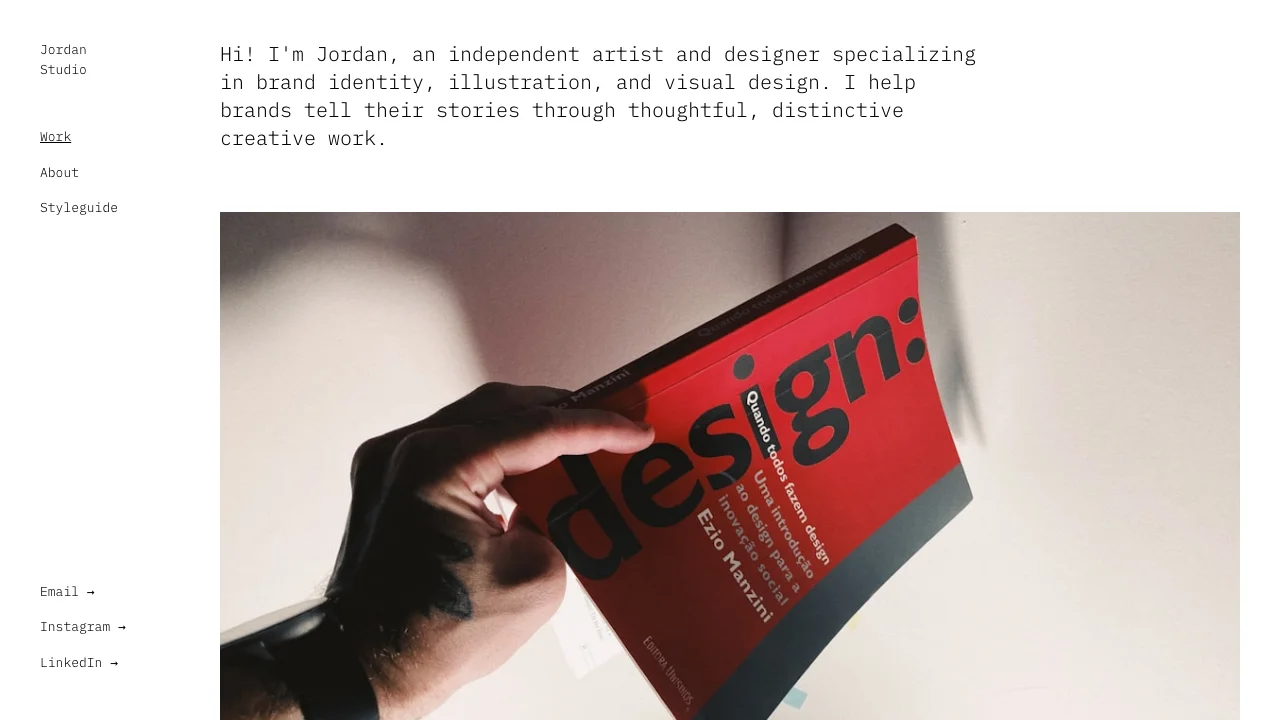
Gallery-First Visual Storytelling
Flow masonry layouts and full-width imagery designed for showcasing creative work professionally
Mobile-Optimized Slide Navigation
Touch-friendly drawer menu with smooth animations delivers seamless browsing on any device
Minimalist Professional Aesthetic
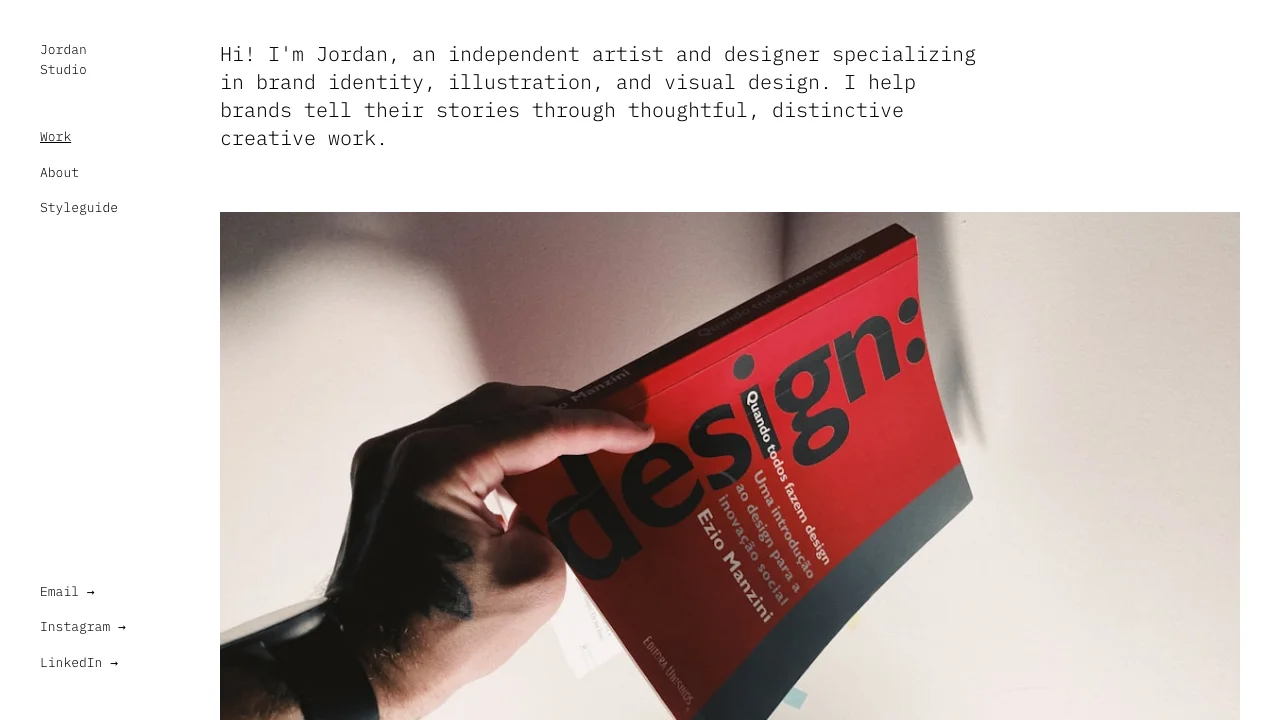
Black-and-white design with monospace typography creates sophisticated gallery-like portfolio experience
Scroll-Reveal Animations Built-In
Framer Motion effects and page transitions engage visitors without overwhelming your work
Production-Ready Contact System
Validated contact form with loading states and toast notifications ready for client inquiries
Features & Capabilities
Production-ready features built with modern tech stack for exceptional performance and user experience
Flow Masonry Layout
IBM Plex Mono Typography
Project Case Study System
Mobile Slide-In Navigation
Hover Scale Effects
React Hook Form Validation
Accessibility Standards Built-In
Image Lazy Loading
Fixed Sidebar Layout
TypeScript Foundation
Loading live preview...
About this template
This template gives you a design portfolio that looks professional and distinctive, and you don't need design skills to make it work. The stripped-down black-and-white design solves a specific problem: when competing for premium clients, you need them focused on your work quality, not distracted by the portfolio wrapper. When you're competing against professionals with custom-designed sites, this template gives you presentation quality that doesn't look like everyone else's portfolio builder.
You avoid the technical headaches that normally eat weeks of your time—the mobile navigation, image galleries, and contact forms already work, so you can skip straight to adding projects and pitching clients. You can focus on showcasing your best projects and attracting the clients you want.
The flow layout adapts to different project needs. Some work deserves full-width presentation, other pieces work better side-by-side or in thirds. You control how each project displays—choosing from full-width, half-width, or third-width options—without touching code or fighting with rigid grid systems.
Who This Is For
Consultants and freelancers building independent practices who need professional portfolios without hiring developers
Small business owners showcasing client work who lack design skills to create custom portfolios
Agency professionals creating white-label portfolio solutions without development costs
Freelance consultants 2-5 years into independent practice who need to compete against professionals with custom-designed sites without spending months learning web development
Solopreneurs competing against larger firms who need professional presence without custom development
Creative professionals who've spent 5-15 years mastering their craft and need a portfolio that proves their capabilities without wasting time hitting technical walls
Best Use Cases
Brand Identity Portfolios: When you're competing against better-funded competitors with custom-designed sites, you need portfolio presentation that doesn't make you look technically incompetent or amateur—detailed case studies prove you deliver professional results. The minimal black-and-white design ensures your work gets attention, not the portfolio wrapper. The flow layout lets you display projects professionally—some elements full-width, others arranged in groups—without needing design skills to make layout decisions.
Project Galleries: Present your work with layouts that adapt to each project. Full-width for hero images, side-by-side for comparison, variable widths for different content types. The gallery-first design means your work stays central while technical complexity fades into the background—no design expertise required.
Client Case Studies: Document your projects from concept to final deliverables. The project detail pages support role descriptions, team credits, and timeline information—all the context that helps potential clients understand your capabilities and approach. When competing for premium projects, detailed case studies help you justify your pricing and demonstrate the thinking behind your work. When you're proving your business idea can work and competing for real customers, documented case studies show you're a professional who delivers results, not someone experimenting with a side hustle. The next-project navigation keeps visitors moving through your work instead of bouncing after one case study.
Agency Portfolio Sites: Customize the template to match your agency branding so you can win competitive pitches with working portfolio sites instead of static mockups. The professional layouts work whether you're presenting to clients or using it as a white-label solution for customers who need portfolio sites. The responsive design ensures your work looks polished whether clients review it on desktop during meetings or mobile between appointments.
Getting Started
Step 1: Remix This Template
Click "Remix" to create your copy. You'll have a complete portfolio site ready to customize. All the pages and features are already working—the sidebar navigation, project galleries, contact form, mobile menu animations. You just need to make it yours.
Step 2: Customize Your Brand
Change colors to match your design aesthetic. Update fonts to reflect your style, or keep the IBM Plex Mono monospace typeface that gives the template its distinctive character. The visual editor lets you modify layouts without touching code—see changes instantly as you work. You don't need to know code to customize the portfolio exactly how you want.
Step 3: Add Your Projects
Replace the sample projects with your best work. Upload your project images and write descriptions that explain your process and show your thinking. The flow layout supports full-width hero images, half-width pairs, and third-width galleries—arrange each project based on what the work needs. Add project metadata like your role, team credits, and timeline to give potential clients context about your capabilities. The template stays out of your way so your content is what people notice. You can also include project descriptions that showcase the thinking behind your work, helping viewers understand your design process and creative approach.
Step 4: Connect Your Tools
The contact form captures complete client information so you never lose a potential project because someone couldn't reach you. You can connect your own analytics and scheduling tools using standard embedding methods when you're ready to track performance. The template works with your existing workflow instead of forcing you into new tools.
Step 5: Go Live
Deploy your portfolio with one click. The platform handles hosting, security, and performance optimization automatically. Your portfolio goes live worldwide in minutes, and you can start sharing the URL with potential clients, including it in pitches, and using it to establish your professional presence.
Conclusion
This portfolio template works for consultants, freelancers, and service providers who need their site to look as polished as their client work. You get professional presentation without hiring developers, fast performance without technical optimization, and a distinctive aesthetic that doesn't scream "template" when competing for premium projects. The stripped-down design solves the core problem: helping clients focus on your work quality instead of getting distracted by portfolio decoration.
Whether you're launching your first portfolio or upgrading from a basic website builder, this template gives you a solid foundation. The image galleries load efficiently, the mobile navigation works smoothly with touch-friendly controls, and the scroll animations add polish without feeling gimmicky. Choose this template to build a portfolio that differentiates you from competitors using generic solutions and helps you attract clients who value professional presentation and design thinking.
Related Templates