Gradient Portfolio
Launch a professional designer portfolio that wins clients without coding. Showcase your work with compelling case studies that justify premium pricing.
 Lovable
Designed for
- Designers and creatives launching practices
- Presenting case studies to potential clients
- Documenting career transitions & process
- Freelancers justifying premium pricing
Key highlights
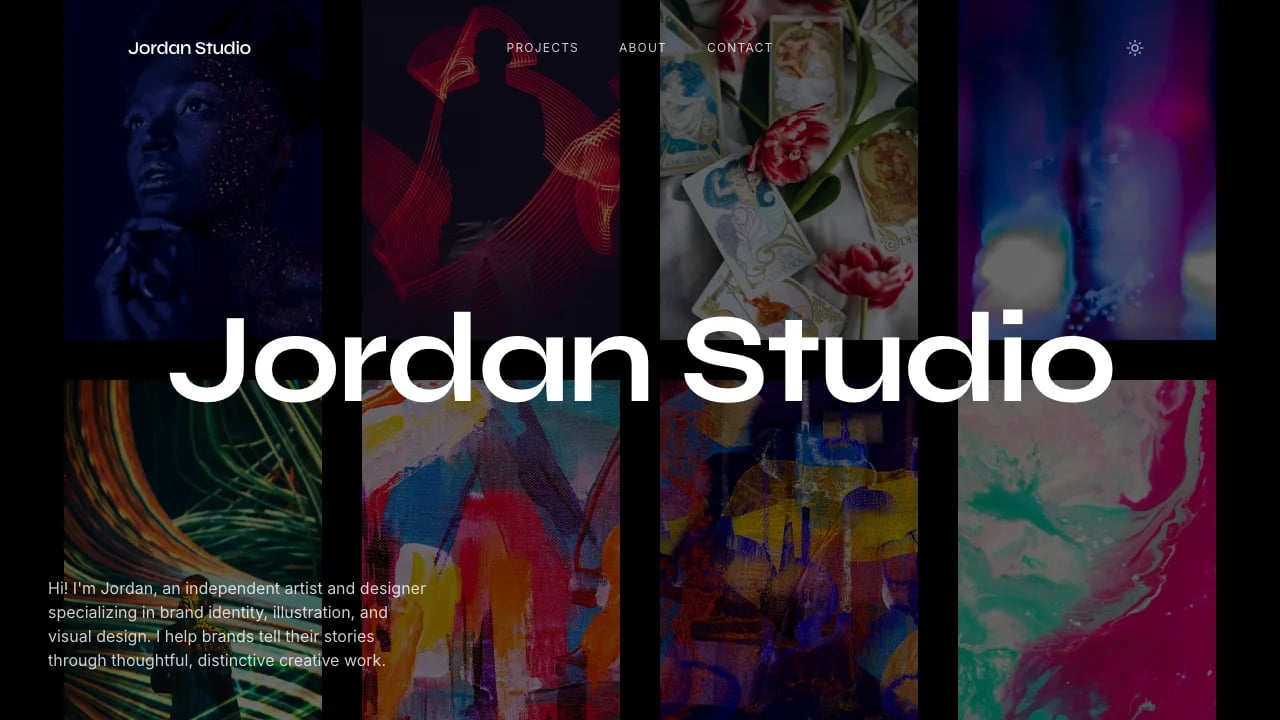
- Scattered image galleries
- Scroll-triggered animations
- Case study pages
- Experience timeline
- Warm gradient aesthetic
- Live timezone clock
- Mobile-responsive layouts
- Fixed nav with breadcrumbs
Technology stack
Libraries
- React
- TypeScript
- Tailwind CSS
- shadcn/ui
- Framer Motion
- Recharts
- Embla Carousel
- React Resizable Panels
Deployment
- Lovable
- GitHub
About this template
This template gives you a professional designer portfolio and you don't need coding experience to make it work. When you're trying to prove your business idea can work, you can't afford to waste months learning to code or burn through your budget hiring developers. Your work gets presented with visual polish that matches the quality you deliver to clients, without months of development or paying a developer thousands of dollars.
The technical parts are already handled. Responsive layouts, page navigation, contact components—all done. You can focus on showcasing your best work and writing the stories behind your projects.
Best Use Cases
Client Acquisition Portfolios: Present your work to potential clients with case studies that explain your process and results. Your portfolio creates visual interest without overwhelming your actual work. When clients are comparing you against competitors, they hire the one whose portfolio doesn't look amateur or template-based—the one that proves their work is worth premium pricing.
Process Documentation: Document your work process and findings in a format that demonstrates strategic thinking. The case study layouts give you space to explain not just what you made but why you made those decisions and what impact they had. Clients and hiring managers want to see your thinking process, and the multi-section case study format lets you demonstrate that depth.
Career Transition Documentation: Document your professional evolution when moving from one specialization to another or from employment to independent work. The case study format lets you explain not just what you made but why you made those decisions. Clients and hiring managers want to see your thinking process, and the multi-paragraph case study layouts give you space to demonstrate that depth.
Specialty Service Marketing: Showcase a specific service with targeted case studies. The experience section establishes credibility with recognizable company names, while the skills section makes it clear exactly what tools and methods you use. Service-based businesses need to justify premium pricing, and detailed case studies help you demonstrate the value you deliver.
Getting Started
Step 1: Remix This Template
Click "Remix" to create your copy. You'll have a complete portfolio site ready to customize. All the pages and features are already working—you just need to make it yours.
Step 2: Customize Your Brand
Change colors to match your aesthetic. Update fonts to reflect your brand. Lovable's visual editor lets you modify layouts and see changes instantly as you work. You don't need to know code to make it look exactly how you want.
Step 3: Add Your Content
Replace the sample projects with your best work. Upload your images and write case studies that explain the problems you solved and results you achieved. The template stays out of your way so your content is what people notice.
Step 4: Connect Your Tools
Add your contact email so potential clients can reach you directly. Add your LinkedIn and social profiles so visitors can explore your full professional presence. Lovable has built-in components for contact forms and social links that portfolio builders actually use. Add your contact email and professional profiles—the setup takes minutes, not hours.
Step 5: Go Live
Deploy your portfolio with one click. Lovable handles the hosting, security, and performance optimization automatically. Your portfolio goes live worldwide in minutes, and you can start sharing the URL in proposals, email signatures, and social media profiles. When you update projects or add new work, those changes go live just as quickly.
Conclusion
This portfolio template works for service providers who want their site to represent the quality of work they deliver to clients. You get professional design without hiring a developer, compelling case studies without months of writing, and custom layouts without touching code. You avoid wasting months of effort on technical setup and can focus on proving your business idea works with a portfolio that immediately looks legitimate. Whether you're launching your first independent portfolio or replacing a basic template that's not winning you projects, this template gives you a solid foundation. The project presentations create memorable first impressions that help you win competitive projects and justify premium pricing to clients who are evaluating multiple options.
Features & capabilities
Animated Project Cards
Scroll-triggered entrance animations and hover-to-straighten effects on scattered images create engaging visual storytelling for portfolio work
Full Case Study Pages
Dedicated project pages with overview sections, skill tags, role descriptions, and external links for comprehensive client work presentation
Interactive Experience Timeline
Animated work history with company icons, role descriptions, and hover effects that showcase professional credibility and career progression
Premium Typography System
Space Grotesk display font with Inter body text creates professional hierarchy and exceptional readability across all screen sizes
Warm Gradient Aesthetic
Multi-stop coral-to-peach gradient background with bold yellow accents creates memorable visual identity that stands out from standard portfolios
Mobile-Responsive Layouts
Fluid grid system adapts project cards, case studies, and content sections seamlessly from mobile to desktop without compromising design quality
Contact Section with Live Clock
Display your local timezone dynamically with email, LinkedIn, and portfolio links to help clients connect across time zones
Fixed Navigation with Breadcrumbs
Always-visible header shows current location and provides quick access to email and resume for seamless client communication
Scattered Image Galleries
Overlapping images with rotation effects and deep shadows create editorial-quality layouts that showcase design work with artistic sophistication
Smooth Scroll Animations
Framer Motion-powered entrance effects with custom easing curves create polished, high-end user experience without technical performance overhead