Invofy — Smart Invoicing Platform for Modern Freelancers Template
Complete invoicing platform with dashboard
TETemplout
·
Key Highlights
Own Your Invoicing Platform
Stop paying monthly fees for software you barely use—build and own your complete invoicing system.
Professional Marketing Site Included
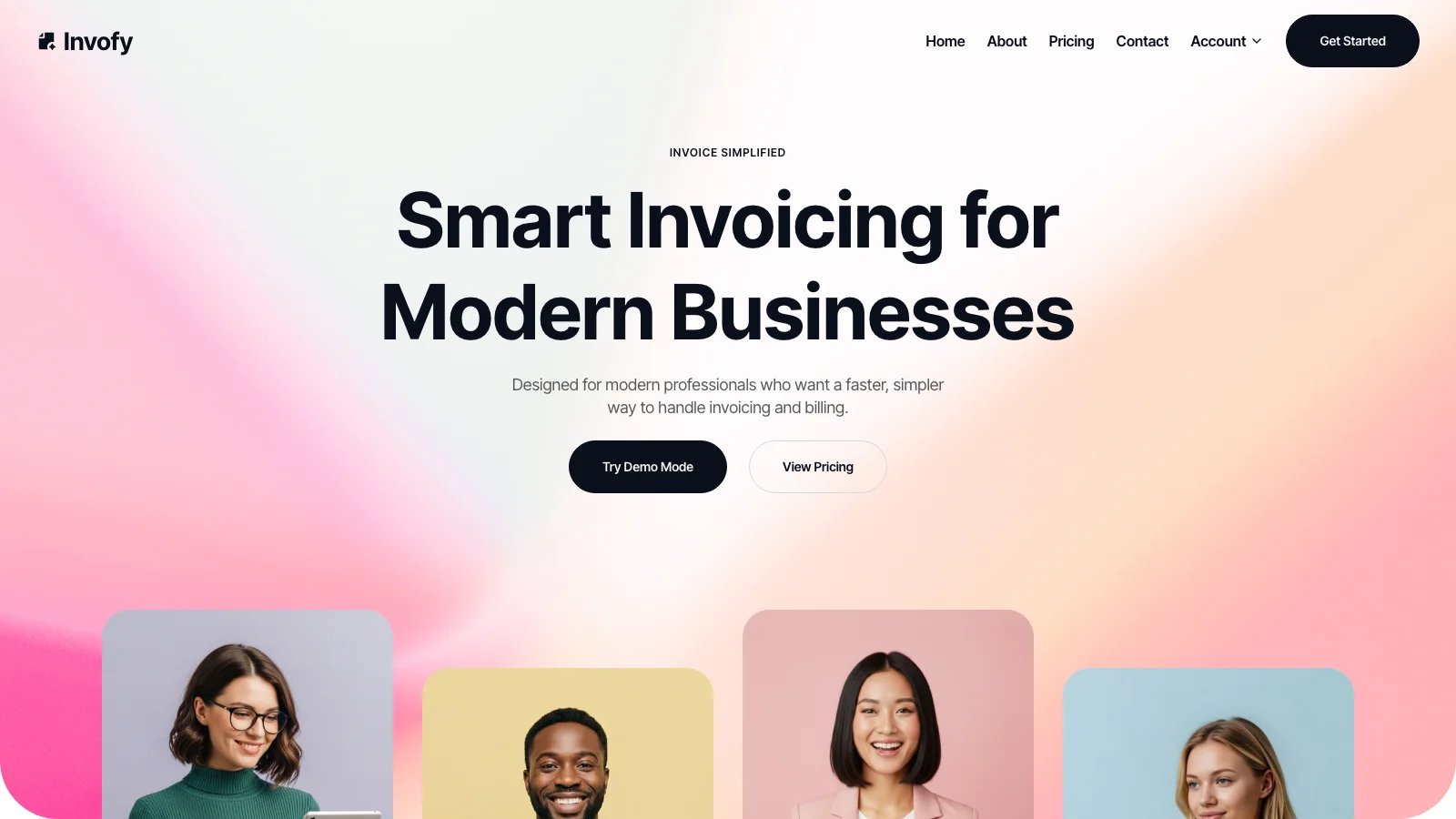
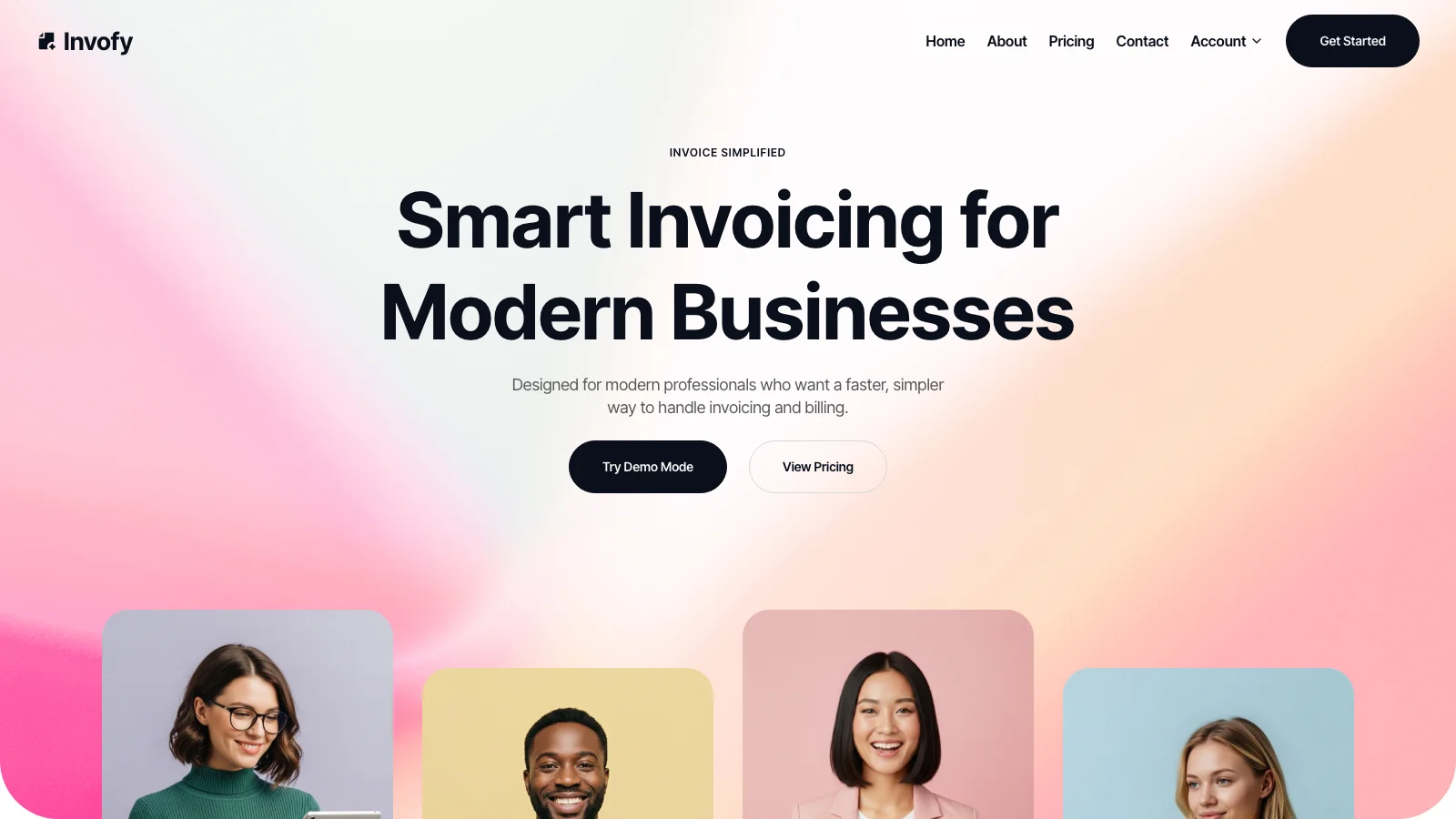
Award-worthy landing page with parallax hero, testimonials, and pricing cards ready to launch.
Working Invoice Generator
Split-view editor with live preview, PDF export, and template customization built in.
Client Database Built In
Full client management with saved details for quick invoice creation across billing cycles.
Demo Mode for Prospects
Anonymous sign-in with sample data lets visitors try your product before signing up.
Deploy in Hours, Not Weeks
Complete platform with authentication, database, and hosting ready for same-day launch.
Features & Capabilities
Production-ready features built with modern tech stack for exceptional performance and user experience
Loading live preview...
About this template
This template gives you a complete invoicing platform with a polished marketing site and a working invoice generator, and you don't need development experience to make it work. The landing page looks like it belongs on a design awards site. The app behind it actually sends invoices.
The technical parts are already handled. User authentication with email, password, and Google sign-in. A database for storing clients and invoices. PDF generation that runs right in your browser. Row-level security so every user's data stays private. You can focus on customizing the look, adding your business details, and sending your first invoice.
Eleven pages come ready to go: a marketing homepage with parallax hero, features grid, pricing cards, testimonials, and FAQ accordion. Plus a dashboard with revenue, pending, and overdue stats, a clients page with add/edit forms, an invoice generator with live preview and template picker, an about page, a pricing page, a contact page, sign-in, sign-up, and password reset.
Instead of paying monthly for invoicing software that locks you into someone else's workflow, you get a fully functional system you own and control, with a professional marketing site attached.
| This Template | Typical Paid Tools | |
|---|---|---|
| Cost | Free to start | $15–50/month |
| Setup time | Hours | Days to weeks |
| Customization | Full control | Limited to plan tier |
| Lock-in | None, export anytime | Subscription required |
Who This Is For
- Freelancers tired of paying $20/month for basic invoicing tools that don't match how they actually work
- Solopreneurs who need professional invoicing but can't justify custom development costs before proving revenue
- Small agency owners who want a branded invoicing platform instead of sending PDFs from generic software
- Consultants whose current invoicing setup looks unprofessional compared to the premium services they deliver
- Service business owners juggling spreadsheets for client tracking and invoicing across disconnected tools
- Side-project builders who want a production-ready SaaS template to study, extend, or launch from
Best Use Cases
Freelance Invoicing Platform
Build a personal invoicing system that matches your brand. The invoice generator includes a split-view editor with a live preview panel, so you see exactly what your client receives. A saved-client picker lets you reuse client details across invoices, cutting repetitive data entry on every billing cycle.
Client Management Hub
Track your clients alongside your invoices in one place. The clients page supports full create, read, update, and delete operations through a modal form. Pair that with the dashboard's revenue, pending, and overdue stats to see which clients owe you money and how much, without opening a spreadsheet.
Branded SaaS Marketing Site
Use the marketing landing page as a launchpad for your own invoicing product or any SaaS idea. The homepage includes a hero section with scroll-parallax images, an infinite logo marquee, a features grid, a three-step explainer, pricing cards, a testimonial marquee, an FAQ accordion, and a scroll-triggered call-to-action section. That is a full marketing site, not a placeholder.
Demo-Enabled Product Showcase
The built-in "Try Demo Mode" button triggers anonymous sign-in and seeds sample data (two clients, three invoices across paid, pending, and draft statuses). Prospects experience your product before signing up. Service businesses report shorter sales conversations when prospects can try before they buy.
See yourself in one of these? Remix this template and start building.
What You Can Build
This template gives you the foundation for:
- A full-stack invoicing app built for modern freelancers, with a dashboard tracking paid, pending, and overdue amounts in one view
- A client-facing SaaS product with a polished marketing site, user authentication, and a working app behind the sign-up button
- A branded billing portal where you customize invoice templates, fonts, and colors per document using the built-in template selector and color picker
Getting Started
Step 1: Remix This Template
Click "Remix" to create your copy. You'll have a complete invoicing platform ready to customize, with pages including a marketing homepage, dashboard, clients manager, invoice generator with live preview, about page, pricing page, contact page, and authentication flows. All the pages and features are already working. You just need to make it yours.
If this template isn't the right fit, you can remix a different one. No wasted work.
Step 2: Customize Your Brand
Change colors to match your business identity. Update fonts to reflect your brand personality. The template uses a clean design system with Inter Tight as the primary typeface, but you can swap it. Rounded cards, full-width hero sections, and a large footer wordmark all respond to your color and font choices. You don't need to know code to make it look exactly how you want.
Step 3: Add Your Content
Replace the sample feature descriptions, testimonial quotes, FAQ questions, and pricing tiers with your own. Upload your own images for the hero section, about page, and call-to-action area. On the app side, update the demo invoices and client records with real data that reflects your business. The template stays out of your way so your content is what people notice.
Step 4: Connect Your Tools
Set up Google OAuth for simple client sign-in, configure email authentication for password-based accounts, or add your own integrations to extend the platform further. The database is already wired for storing invoices and clients. PDF generation runs in the browser with no external service needed.
Step 5: Go Live
Deploy your invoicing platform with one click. Hosting, security, and performance optimization are handled automatically. Your site goes live worldwide in minutes, and you can start sharing the URL with clients and prospects.
Conclusion
This invoicing template works for freelancers and small business owners who want to stop renting software and start owning their tools. You get a professional marketing site without hiring a designer, a working invoice generator without writing code, and a client database without paying per-seat fees.
Whether you're replacing a monthly invoicing subscription or building a SaaS product around billing, this template gives you a production-ready starting point. The parallax hero, testimonial marquees, and FAQ accordion create a marketing site that builds credibility. The dashboard, client manager, and split-view invoice editor handle the actual work. The template is free to start and takes a few hours to customize. You could be sending your first invoice by tonight.