ज़्यादा बनाएँ। कम संभालें।
Lovable अब जटिल ऐप निर्माण को ज़्यादा स्वतंत्र रूप से संभाल सकता है।
अग्रणी कंपनियों की टीमों का भरोसा
बड़े आइडियाज़ को और तेज़ी से हक़ीकत बनाएं
अब हर कदम पर माइक्रोमैनेज करने या पब्लिश करने से पहले उम्मीद लगाने की ज़रूरत नहीं। Lovable अब जटिल बिल्ड्स की कहीं ज़्यादा गहराई से योजना बनाता है, उन्हें ख़ुद से पूरा करता है, और शिप करने से पहले अपने काम को ख़ुद जांच सकता है।
बड़े काम सौंप दें
Lovable को कोई जटिल काम सौंपें और निश्चिंत हो जाएं। यह अब ज़्यादा सोच-समझकर योजना बनाता है और लंबे बिल्ड्स को बिना भटके पूरा करता है।
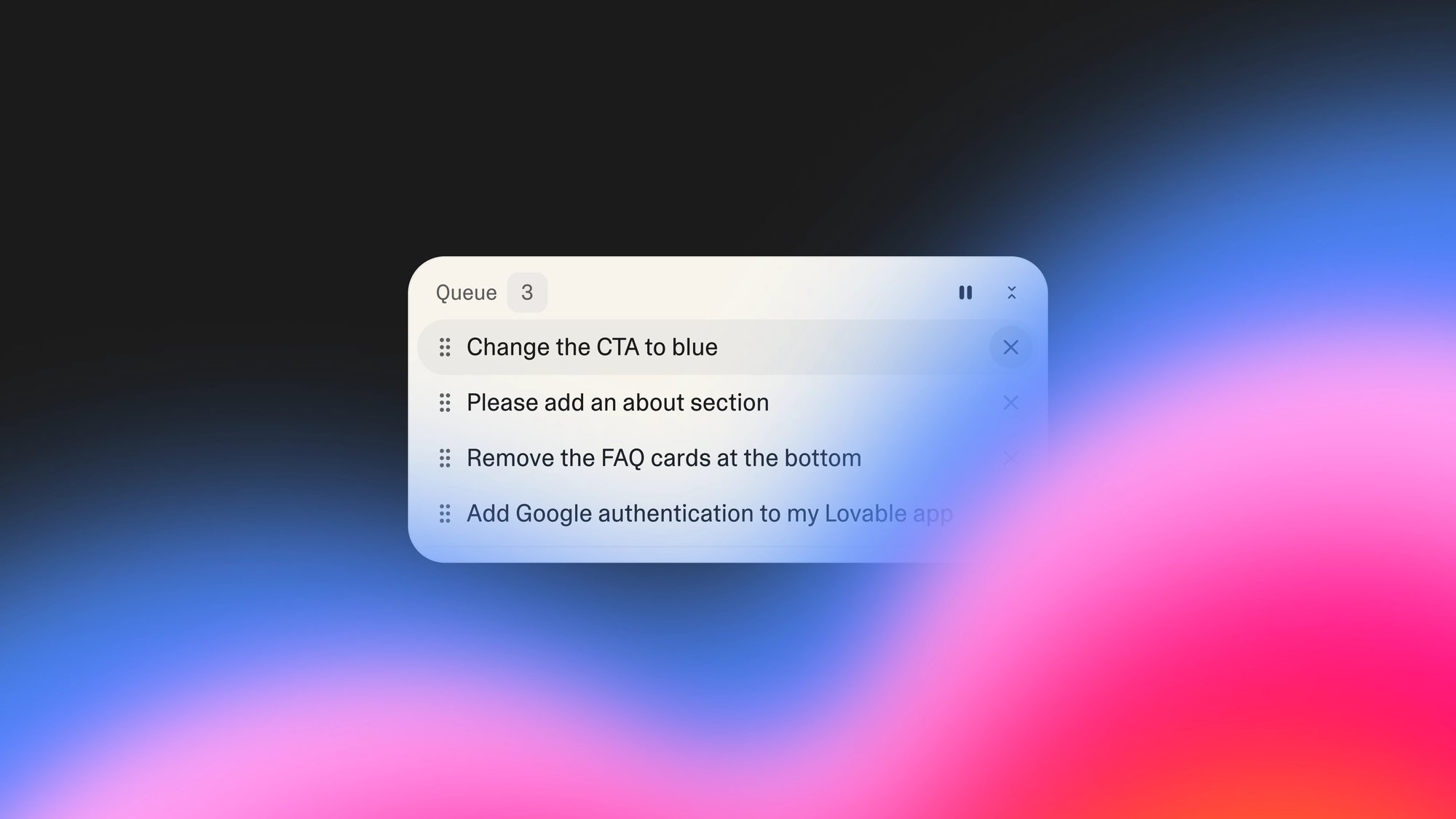
छोटे काम कतार में लगाएं
कई प्रॉम्प्ट्स कतार में लगाएं और जाकर एक कॉफ़ी ले आएं। Lovable काम करता रहता है ताकि आपकी रफ़्तार कभी न टूटे।
कम सुधारों के साथ बेहतर क्वालिटी के बिल्ड्स पाएं
Lovable अब आपके ऐप्स को असली उपयोगकर्ता की तरह परख सकता है और अनुभवी डेवलपर की तरह उनकी समस्या ठीक कर सकता है। आधे-अधूरे मसौदों के बजाय उत्पादन के लिए तैयार काम की समीक्षा करें।
एक ही प्रॉम्प्ट से Google साइन-इन जोड़ें
आसान Google साइन-इन से साइन अप की बाधा हटाएं। बस एक निर्देश दें, और आपके ऐप में साफ़-सुथरा प्रमाणीकरण जुड़ जाता है।
Loading video...
एक वास्तविक व्यवसाय बनाने, लॉन्च करने और बढ़ाने के लिए जो भी ज़रूरी है, सब कुछ
योजना, निर्माण, परीक्षण, प्रमाणीकरण और होस्टिंग के लिए अलग-अलग टूल जोड़ना बंद करें। सब कुछ एक ही जगह पाएं ताकि आप इस पर ध्यान दे सकें कि आप क्या बना रहे हैं, न कि इसे कैसे शिप करना है।
बेहतर योजना
Lovable बनाने से पहले ज़्यादा समझदारी से योजना बनाता है। यह आपके फ़ीचर्स को विस्तार से तय करता है और एक विस्तृत, संपादन-योग्य योजना तैयार करता है, जिसे आप कोड की एक भी लाइन लिखे जाने से पहले देख सकते हैं।
बेहतर क्रियान्वयन
हर चरण पर ठीक-ठीक देखें कि क्या हो रहा है। लंबे समय तक चलने वाले एजेंट की बदौलत Lovable विस्तृत टास्क सूचियाँ बनाता है और कई-चरणों वाले फ़ीचर्स को स्वतंत्र रूप से पूरा करता है।
कई टास्क सौंपें
Lovable के बैकग्राउंड में चलते समय आइडिया जोड़ें। प्रॉम्प्ट कतार में लगाते रहें और अपनी बारी का इंतज़ार किए बिना प्रोजेक्ट्स पर सहयोग करें।
हर टैब में बग ढूंढने वाला सहायक
Lovable आपके ऐप को असली यूज़र की तरह टेस्ट करता है। यह आपके ऐप्स को ब्राउज़र में एक्सप्लोर कर सकता है, स्क्रीनशॉट लेता है, बटन क्लिक करता है, और पब्लिश करने से पहले वर्कफ़्लो की जाँच करता है।
ज़रूरत पड़ने पर स्वचालित परीक्षण
Lovable से अपने लिए फ़्रंटएंड और बैकएंड टेस्ट लिखने और चलाने को कहें, और यह अपने आप समस्याएँ पहचानकर ठीक कर देगा।
सहज Google साइन-इन
एक ही प्रॉम्प्ट से अपने ऐप में प्रोफ़ेशनल ऑथेंटिकेशन जोड़ें। एक साफ़, एक-क्लिक लॉगिन जो आपके प्रोडक्ट को परिष्कृत और भरोसेमंद बनाता है।
शुरुआत से ही मज़बूत बिल्ड्स पाएं
जटिल कामों को ख़ुद से हल करने में बेहतर
कम अटके हुए बिल्ड्स
कम त्रुटियाँ
हमारे ग्राहक क्या कह रहे हैं
यह सोचना मुश्किल है कि यह हमारे काम करने का तरीका पूरी तरह नहीं बदलेगा।
Chris De Vylder
CRO, Sentry
इसने हमारे लाखों डॉलर बचाए हैं, और हमने बेहतर समाधान भी हासिल किए हैं।
Seth Siegler
CIO, eXp Realty
प्लान मोड से पहले, मेरी प्रोजेक्ट्स की रूपरेखाएं खजाने के नक्शों जैसी होती थीं — अस्पष्ट, ज़रूरत से ज़्यादा आशावादी, और शायद कहीं न पहुंचाने वाली।
Christa C
Lovable के विशेषज्ञ उपयोगकर्ता