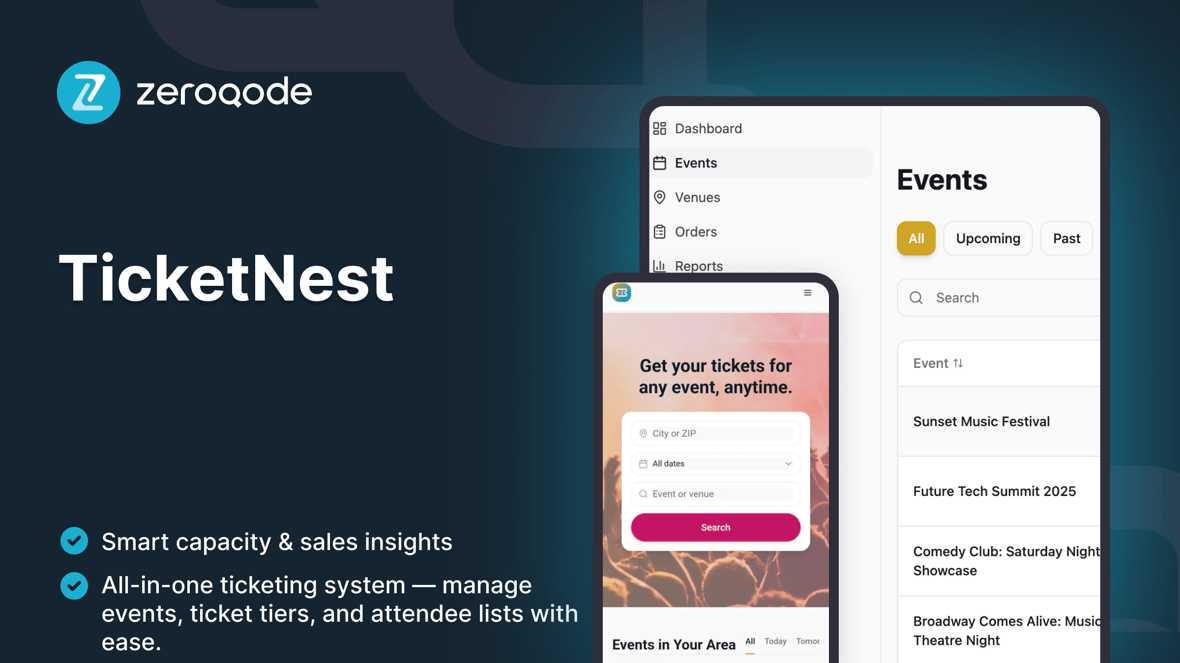
TicketNest
Event ticketing and box office management template to create events, manage ticket capacities, and check in attendees with live counts.
Disukai oleh orang-orang yang membangun situs web
Dibuat oleh Zeroqode
ZeroqodeReactLovable
Yang termasuk di dalamnya
Events Dashboard – list of upcoming and past events with basic search and filters (by date, status, venue).
Event Detail / Box Office View – per-event snapshot with key stats (date, venue, capacity, tickets sold, check-ins) and shortcut to open the event's POS/door sales flow.
Ticket Types & Capacity Management – configure ticket categories (e.g. General Admission, VIP), prices, and overall event capacity.
Attendees / Orders List – view all attendees for an event, their ticket type, status, and order reference.
Check-In Screen – mark guests as checked in via simple search (by name, email, or ticket code) with live total checked-in vs capacity.
Scanning Sessions / Live Counts – track how many people enter over time and keep an at-a-glance overview of current occupancy at the venue.
Event Creation & Editing – CRUD screens to create events with date, time, venue, capacity, and ticket configuration.
Basic Analytics Overview – per-event summaries (tickets sold, check-ins, remaining capacity) to help organizers understand performance.
Admin / Settings Area – manage organization profile, default settings (time zone, currency labels, capacity rules), and internal staff access.
Panduan memulai
Ikuti langkah-langkah ini untuk menyesuaikan dan menerbitkan proyek Anda
Panduan video
Panduan langkah demi langkah
Duplicate & rename
Contoh prompt
Define the core data model
Contoh prompt
Configure the Events Dashboard
Contoh prompt
Set up ticket types & capacity rules
Contoh prompt
Customize the Event Detail / Box Office page
Contoh prompt
Polish the Attendees view
Contoh prompt
Design the Check-In experience
Contoh prompt
Add optional CSV import
Contoh prompt
Set up simple analytics
Contoh prompt
Test and publish
Contoh prompt