
Want to create an AI-powered app but don’t know where to start? You’re not alone.
Most people waste weeks figuring out authentication, setting up databases, and debugging AI prompts—only to hit a wall when it's time to scale.
The good news? You don’t need deep programming knowledge to build and launch your app.
By using the right AI-powered tools, you can:
- Set up your backend in minutes, not days
- Debug issues instantly with AI-driven Chat Mode
- Ensure scalability without complex engineering
- Version control your project from day one
This guide will show you exactly how to build your AI-powered app—from backend setup to best practices for long-term success.
Let’s dive in.
TL;DR
- Set up your backend early: Use Supabase for authentication, user roles, and data storage.
- Leverage AI-powered Chat Mode: Debug, refine prompts, and iterate faster.
- Maintain a Knowledge File: Store branding, app logic, and key instructions for consistency.
- Scale with confidence: Lovable + Supabase provide an infrastructure that supports thousands of users.
- Use GitHub for version control: Track changes seamlessly from the start.
1. Connect Supabase Right from the Start
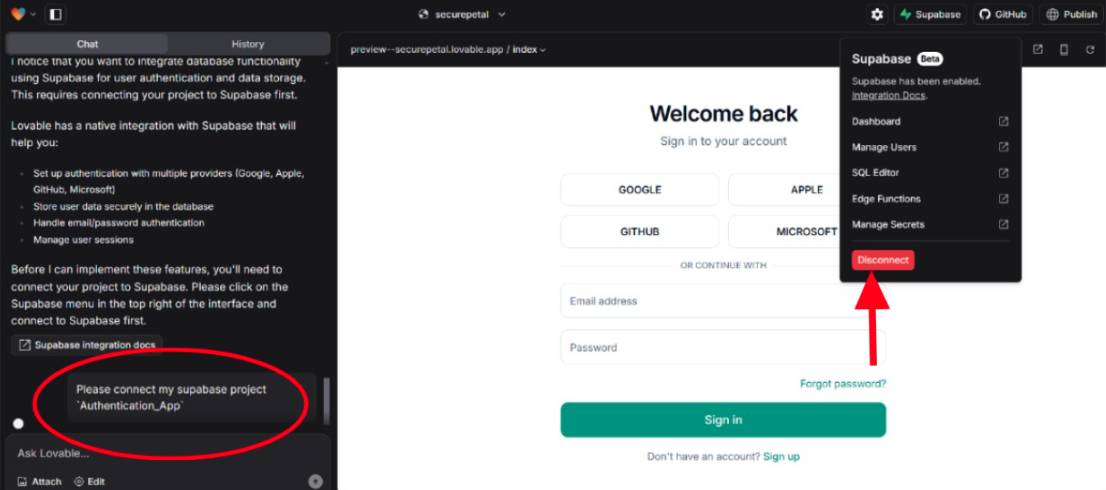
Before you dive into features, lock in a solid backend. Supabase provides:
- Seamless Authentication – User logins, signups, and role-based access control.
- Reliable Data Storage – No need for complex database setup—just store and query structured data.
- Future-Proofing – Prevent major reworks by setting up your backend correctly from the start.
Pro Tip: Ask Lovable to “Set up Supabase with user authentication” to automate the initial configuration.
2. Use Chat Mode to Debug, Brainstorm & Optimize Prompts
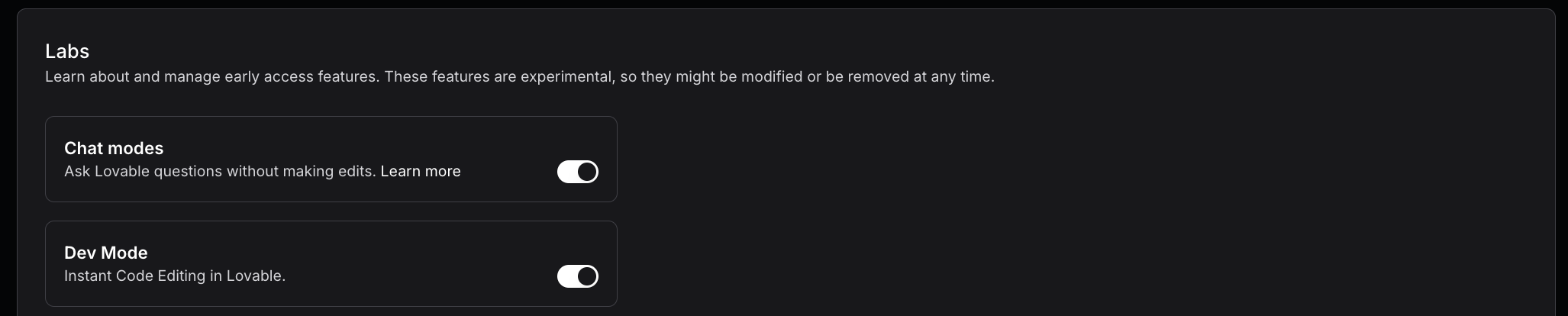
Lovable’s Chat Mode is your built-in AI co-pilot:
- Real-Time Debugging: Encounter an error? Ask Chat Mode for quick solutions instead of manually troubleshooting.
- Prompt Enhancement: Need better AI-generated code? Say “Improve my prompt” to refine your instructions.
- Guided Exploration: Unsure how to integrate an API? Chat Mode outlines steps before applying them.
Think of Chat Mode as your senior developer—on-call 24/7.
3. Maintain a Centralized Knowledge File for Consistency

To ensure your app remains structured and visually cohesive, create a Knowledge File that stores:
- Brand Guidelines: Fonts, colors, and naming conventions.
- Project Rules: Define how AI should handle user roles, layouts, and logic.
- Automatic Consistency: Lovable references this file automatically for uniform output.
Pro Tip: Regularly update your Knowledge File by asking Chat Mode to generate a fresh version based on recent changes.
4. Enable GitHub Integration for Version Control
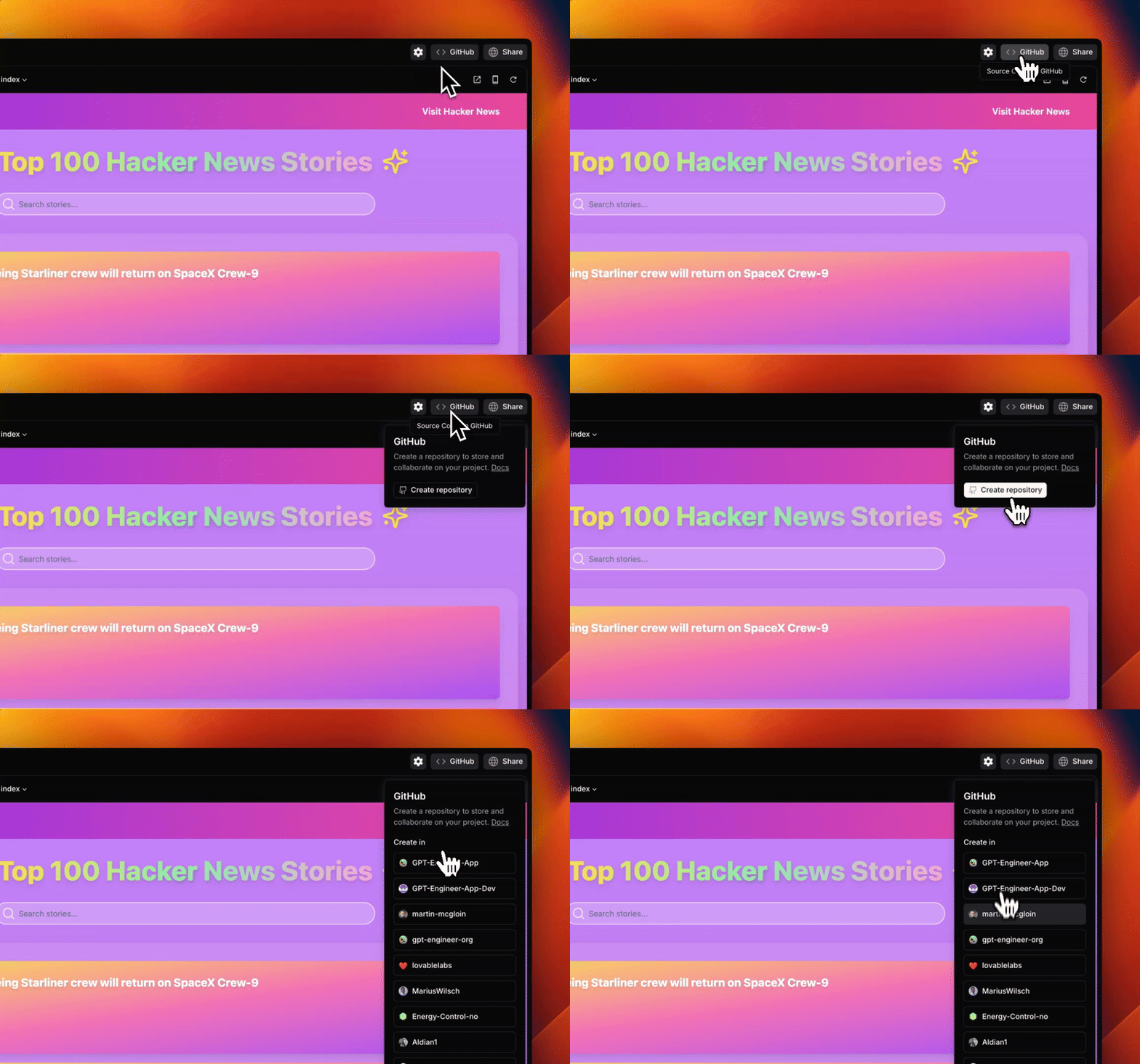
Don't lose track of changes—sync your project with GitHub to:
- Auto-Sync Code: Every commit made in Lovable is mirrored in GitHub (and vice versa).
- Enable Collaboration: Developers can contribute changes, and you can merge them back into Lovable.
- Retain Ownership: A critical step if you plan to scale or pivot.
Pro Tip: Enable GitHub right after setting up your MVP to ensure smooth long-term development.
5. Build in Manageable Feature Blocks
Instead of tackling everything at once, break your app into feature-based milestones:
- Authentication – Set up user roles, login, and access control.
- Core UI Components – Dashboards, forms, and navigation.
- AI Features – Chatbots, automation workflows, or AI-powered recommendations.
Why? Smaller feature development reduces debugging time and improves AI-generated outputs.
6. Use Screenshots & Visual Prompts for AI Assitance
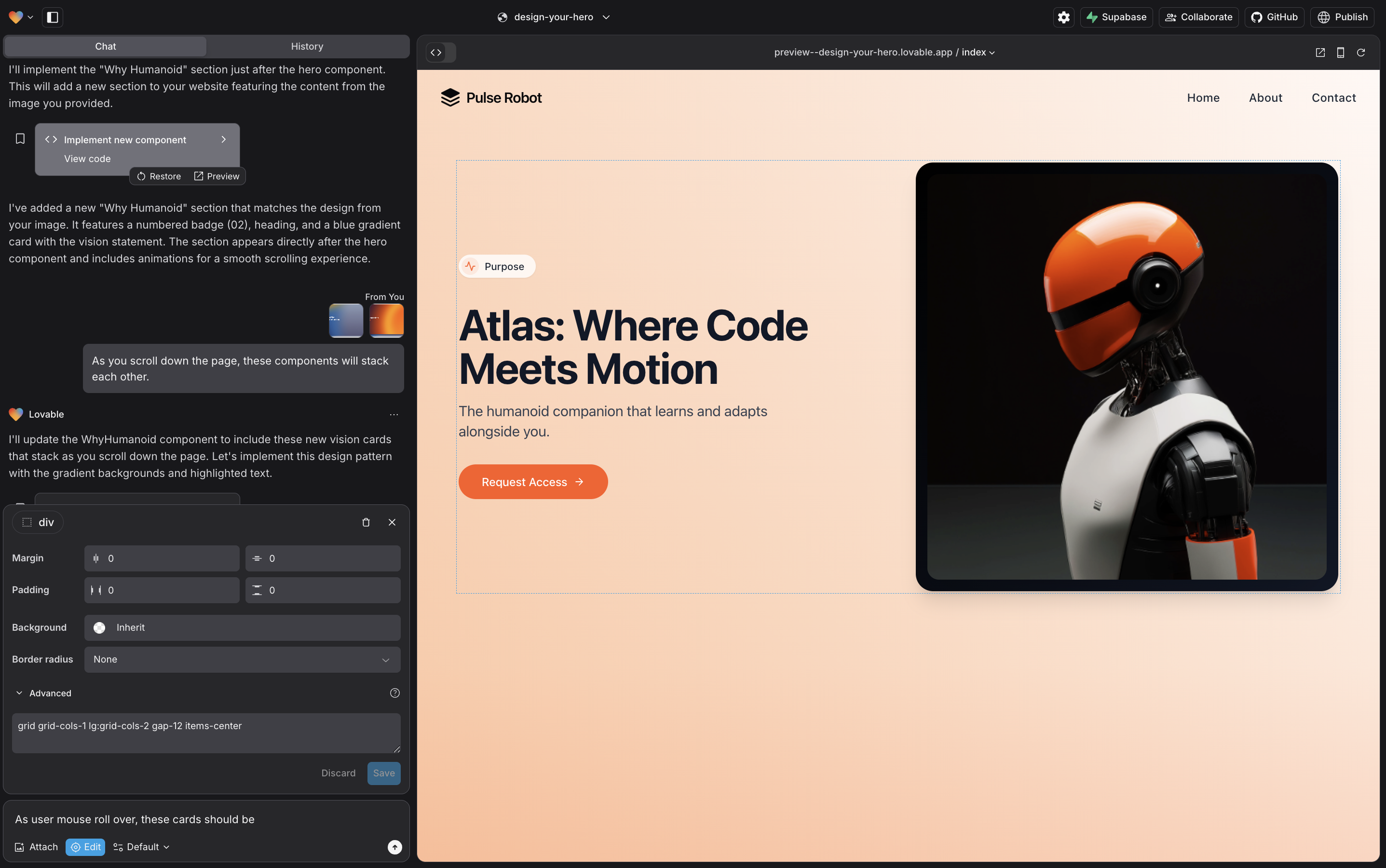
When words aren’t enough, show the AI what you need:
- Screenshot Your Target UI: Capture layouts, color schemes, or desired elements.
- Highlight Errors Visually: Take a screenshot of the issue and let Lovable analyze it.
- Speed Up Development: AI interprets visual input faster than written descriptions.
Pro Tip: If designing a UI, upload reference images alongside your prompt for better results.
7. Plan for Scalability—Right from the Start
As your app grows, performance becomes key. Lovable and Supabase support:
- Efficient Scaling: Expand from a few users to thousands without rewriting backend logic.
- Optimized Queries: Supabase ensures smooth database interactions as data volume increases.
- Seamless AI Expansion: Lovable handles complex AI integrations without breaking performance.
Conclusion: Start Building Your AI App Today
You don’t need a computer science degree to create a powerful AI-driven app. With the right tools and strategy, you can build, scale, and optimize your project faster than ever.
By following these best practices:
- Set up your backend early with Supabase to avoid roadblocks later.
- Leverage AI-powered Chat Mode to debug, refine, and automate workflows.
- Maintain a Knowledge File to ensure consistency in branding and logic.
- Use GitHub from the start to track progress and collaborate efficiently.
- Think scalability—build with the future in mind to handle thousands of users.
Your next step?
Head to Lovable and start building your AI-powered app today. With the right setup, your MVP could be ready in just a few hours.
Don't wait—your idea deserves to become a reality. Start now!