สร้างได้มากขึ้น จัดการน้อยลง
ตอนนี้ Lovable จัดการการสร้างแอปที่ซับซ้อนได้ด้วยตัวเองมากขึ้น
ได้รับความไว้วางใจจากทีมในบริษัทชั้นนำ
เปลี่ยนไอเดียยิ่งใหญ่ให้เป็นจริงได้เร็วขึ้น
ไม่ต้องคอยจ้ำจี้จ้ำไชทุกขั้นตอนหรือลุ้นกันก่อนกดเผยแพร่อีกต่อไป ตอนนี้ Lovable วางแผนงานที่ซับซ้อนได้ละเอียดรอบคอบยิ่งขึ้น ลงมือทำได้ด้วยตัวเอง และตรวจสอบงานของตัวเองได้ก่อนที่คุณจะปล่อยใช้งานจริง
มอบงานใหญ่ให้จัดการ
มอบงานที่ซับซ้อนให้ Lovable แล้วปล่อยให้จัดการต่อได้เลย ตอนนี้ Lovable วางแผนได้รอบคอบยิ่งขึ้นและทำงานยาว ๆ จนจบได้โดยไม่หลงประเด็น
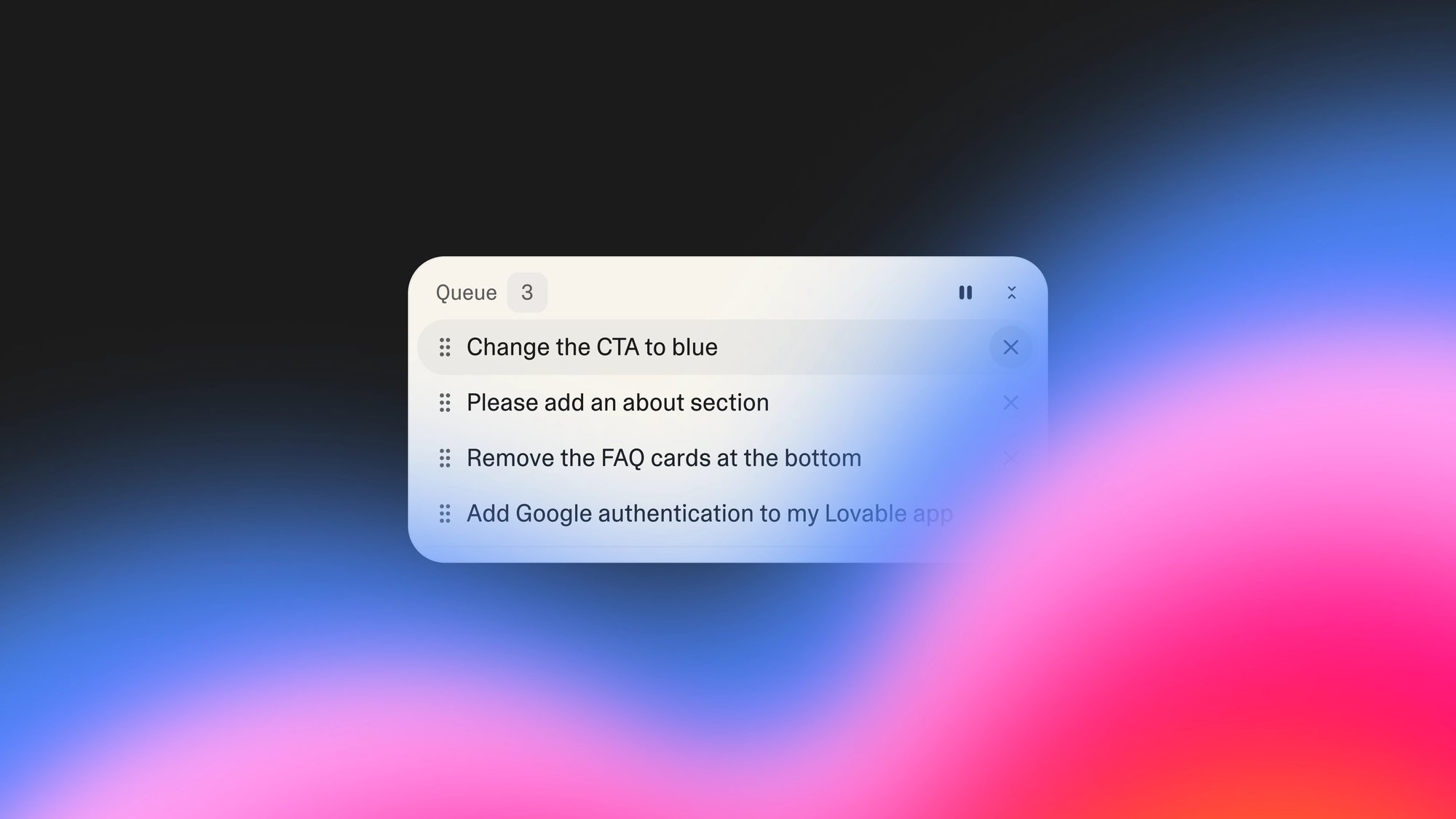
จัดคิวงานเล็ก ๆ
จัดคิวพรอมต์หลาย ๆ อันแล้วไปหากาแฟดื่มได้เลย Lovable จะทำงานต่อให้ คุณจึงไม่เสียจังหวะ
ได้งานคุณภาพสูงขึ้นโดยแก้น้อยลง
ตอนนี้ Lovable ทดสอบแอปของคุณได้เหมือนผู้ใช้จริงและแก้บั๊กได้เหมือนนักพัฒนามากประสบการณ์ ตรวจรับงานที่พร้อมใช้งานจริง ไม่ใช่ฉบับร่างที่ยังพังครึ่ง ๆ กลาง ๆ
เพิ่มการลงชื่อเข้าใช้ด้วย Google โดยใช้พรอมต์เดียว
ลดความยุ่งยากในการสมัครสมาชิกด้วยการลงชื่อเข้าใช้ผ่าน Google ที่ราบรื่น เพียงพรอมต์เดียว คุณก็จะได้ระบบยืนยันตัวตนที่เรียบร้อยในแอปของคุณ
Loading video...
ทุกสิ่งที่คุณต้องการเพื่อสร้าง เปิดตัว และเติบโตเป็นธุรกิจจริง
เลิกเสียเวลาต่อเครื่องมือหลายตัวเข้าด้วยกันสำหรับการวางแผน สร้าง ทดสอบ ยืนยันตัวตน และโฮสติ้ง รวมทุกอย่างไว้ในที่เดียว เพื่อให้คุณโฟกัสกับสิ่งที่กำลังสร้าง ไม่ใช่วิธีนำไปปล่อยใช้งาน
การวางแผนที่ชาญฉลาดกว่า
Lovable วางแผนอย่างชาญฉลาดมากขึ้นก่อนลงมือสร้าง โดยจะจัดทำแผนผังฟีเจอร์ของคุณอย่างละเอียด และสร้างแผนที่ละเอียดและแก้ไขได้เพื่อให้คุณตรวจสอบก่อนเขียนโค้ดแม้แต่บรรทัดเดียว
การทำงานที่มีประสิทธิภาพยิ่งขึ้น
เห็นได้ชัดเจนว่ากำลังเกิดอะไรขึ้นในทุกขั้นตอน Lovable สร้างรายการงานอย่างละเอียดและดำเนินการฟีเจอร์ที่มีหลายขั้นตอนได้ด้วยตัวเองด้วยเอเจนต์ที่ทำงานได้ยาวนานขึ้น
มอบหมายหลายงานพร้อมกัน
เพิ่มไอเดียในขณะที่ Lovable ทำงานอยู่เบื้องหลัง จัดคิวพรอมต์ต่อเนื่องและทำงานร่วมกันในโปรเจกต์ได้โดยไม่ต้องรอถึงตาของคุณ
นักล่าบั๊กในทุกแท็บ
Lovable ทดสอบแอปของคุณเหมือนผู้ใช้งานจริง สามารถสำรวจแอปของคุณในเบราว์เซอร์ จับภาพหน้าจอ คลิกปุ่ม และตรวจสอบเวิร์กโฟลว์ก่อนที่คุณจะเผยแพร่
การทดสอบอัตโนมัติเมื่อต้องการ
ขอให้ Lovable เขียนและรันการทดสอบทั้งฟรอนต์เอนด์และแบ็กเอนด์ให้คุณ แล้ว Lovable จะระบุและแก้ไขปัญหาให้โดยอัตโนมัติ
การลงชื่อเข้าใช้ด้วย Google ที่ราบรื่น
เพิ่มระบบยืนยันตัวตนระดับมืออาชีพให้แอปของคุณด้วยพรอมต์เดียว การเข้าสู่ระบบที่สะอาดตาเพียงคลิกเดียวซึ่งทำให้ผลิตภัณฑ์ของคุณดูประณีตและน่าเชื่อถือ
ได้งานที่แข็งแกร่งตั้งแต่เริ่มต้น
แก้ปัญหางานที่ซับซ้อนได้เองดีขึ้น
งานสร้างหยุดค้างน้อยลง
ข้อผิดพลาดน้อยลง
ลูกค้าของเราพูดถึงเราว่าอย่างไร
ยากที่จะจินตนาการว่าสิ่งนี้จะไม่เปลี่ยนทุกอย่างที่เราทำ
Chris De Vylder
CRO, Sentry
มันช่วยเราประหยัดเงินได้หลายล้านดอลลาร์ และเราก็ได้โซลูชันที่ดีกว่าเดิม
Seth Siegler
CIO, eXp Realty
ก่อนจะมีโหมดวางแผน แผนงานโปรเจกต์ของฉันเหมือนแผนที่ขุมทรัพย์มากกว่า ทั้งคลุมเครือ มองโลกในแง่ดีเกินไป และคงไม่นำไปสู่ที่ไหนเลย
Christa C
ผู้ใช้ตัวยงของ Lovable