Folio - Minimal Designer Portfolio
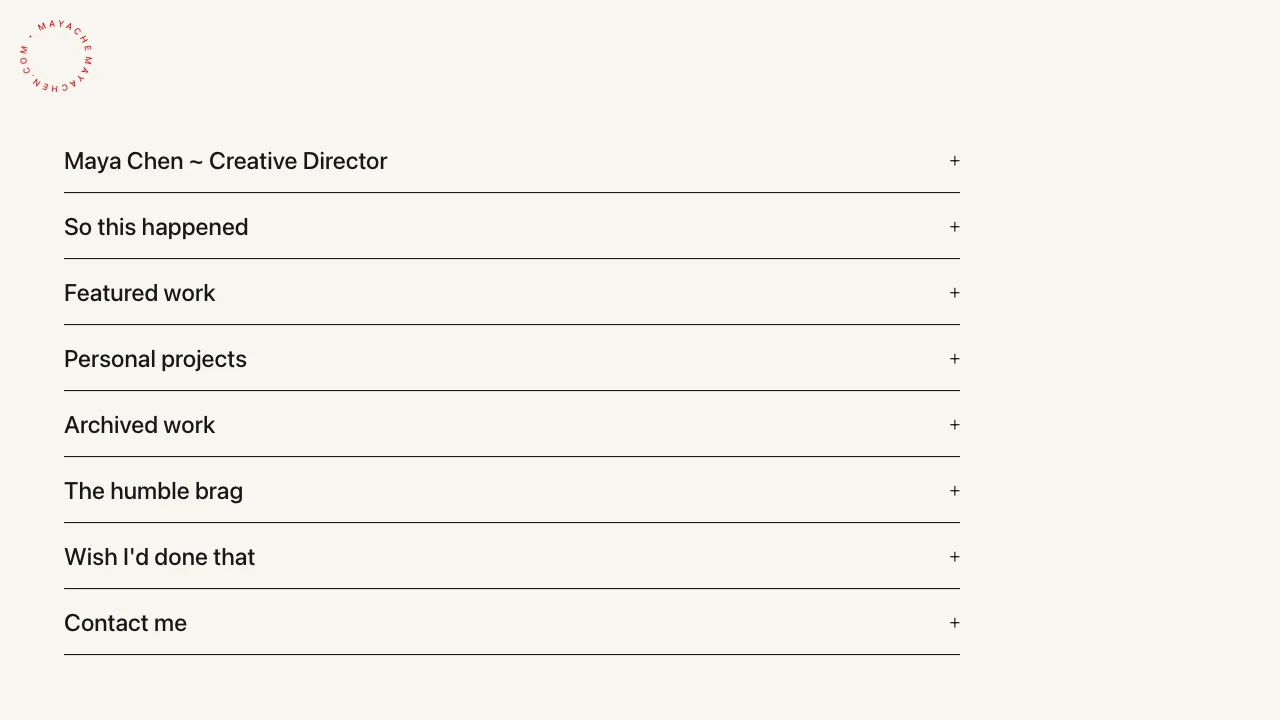
Editorial accordion portfolio layout
LOLovable
·
Key Highlights
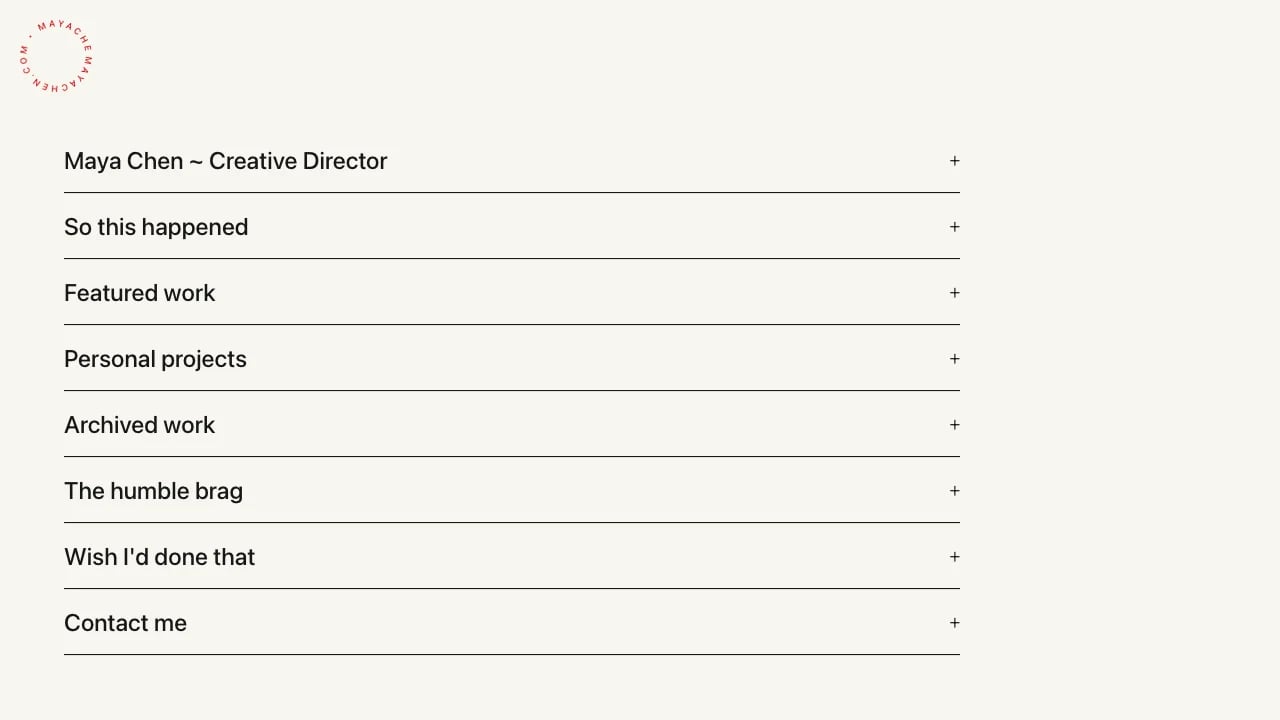
Accordion sections
Expand and collapse content sections one at a time to reduce scroll fatigue
Case study pages
Dedicated project pages with title, context, body text, and image galleries
Rotating SVG logo
Circular animated logo with text on a path for memorable branding
Warm editorial palette
Cream background with near-black text and red accents for standout warmth
Staggered animations
Framer Motion entrance transitions and hover states guide visitor attention smoothly
WCAG AA accessible
Radix UI primitives with keyboard navigation and high contrast ratios
Responsive fluid layout
Adaptive typography and padding scale cleanly across mobile and desktop
TypeScript codebase
Type-safe React components ready for quick customization and deployment
Features & Capabilities
Production-ready features built with modern tech stack for exceptional performance and user experience
Loading live preview...
About this template
This template gives you a designer portfolio that looks professional and you don't need coding skills to make it work. The accordion-based layout lets you organize your biography, work history, featured projects, awards, and contact information in a clean, editorial format that puts your work front and center.
The technical parts are already handled. Mobile layouts, smooth interactions, accordion navigation—all done. You focus on showcasing your work and telling your story. You can launch in hours instead of weeks while the template takes care of the design systems and responsive behavior. This removes the technical barriers that keep solopreneurs and small business owners from launching quickly.
Who This Is For
- Designers and creative professionals showcasing their work to attract premium clients
- Independent consultants and practitioners building portfolio sites without developer costs
- Agency professionals presenting case studies and design process to build their reputation
- Solopreneurs proving their expertise and building credibility without looking amateur or template-based
- Service business owners who need professional presentation to justify their rates and win client trust
- Creative professionals moving from freelance to independent practice and need a portfolio that works while they're building their business
Best Use Cases
Professional Story Presentation: Present your complete professional story in an organized format. The accordion sections let visitors explore your work history and philosophy without information overload, helping you control the narrative when competing for premium clients or opportunities.
Design Process Documentation: Show clients how you think and solve problems, not just final deliverables. Case study pages with organized project displays demonstrate your strategic approach and differentiate you from competitors who only show finished work—proving your strategic thinking beyond polished deliverables.
Career Progression Showcase: Document your professional evolution to build credibility with clients. A chronological timeline shows potential clients your experience depth and the types of projects you've handled, helping justify premium rates and demonstrate your expertise in their industry.
Premium Client Attraction: Create a professional first impression that signals design sophistication. A polished, distinctive portfolio works for you 24/7 to attract premium clients and demonstrates the attention to detail that justifies higher rates.
Getting Started
Step 1: Remix This Template
Click "Remix" to create your copy. You'll have a complete portfolio site ready to customize. All the pages and features are already working—you just need to make it yours.
Step 2: Customize Your Brand
Change colors to match your aesthetic. Update fonts to reflect your design philosophy. The visual editor lets you modify layouts and see changes instantly. You don't need to know code to make it look exactly how you want.
Step 3: Add Your Content
Replace the sample projects with your actual work. Add your project visuals and write case studies that explain your process and thinking to potential clients. The template stays out of your way so your work is what people notice first.
Step 4: Connect Your Tools
Connect your professional profiles with direct links to LinkedIn, Dribbble, or other platforms. Add analytics when you're ready to track visitor engagement.
Step 5: Go Live
Deploy your portfolio site with one click. Lovable handles the hosting, security, and performance optimization automatically. Your portfolio goes live worldwide in minutes, and you can start sharing the URL with potential clients, employers, or your professional network.
Conclusion
This designer portfolio template works for creative professionals who want their site to look as polished as their work. You get professional design without hiring a developer, organized layouts without wrestling with page builders, and all the sections designers actually need—work history, case studies, contact details. The accordion navigation keeps everything organized without feeling cramped, and the editorial aesthetic signals design sophistication from the first visit.
Whether you're launching your first independent practice or upgrading from a basic portfolio platform, this template gives you a solid foundation. The design details work together to create a polished impression, and everything loads fast from day one. Choose this template to launch a portfolio that represents your design standards and helps you win the clients or opportunities you're targeting.